Draw zones in-game - polygons, circles and boxes - then export clean code in one click. No more flying around copy-pasting coordinates into a config by hand.
Free. Standalone. Zero dependencies. Works on any framework (ESX, QBCore, Qbox, or none).
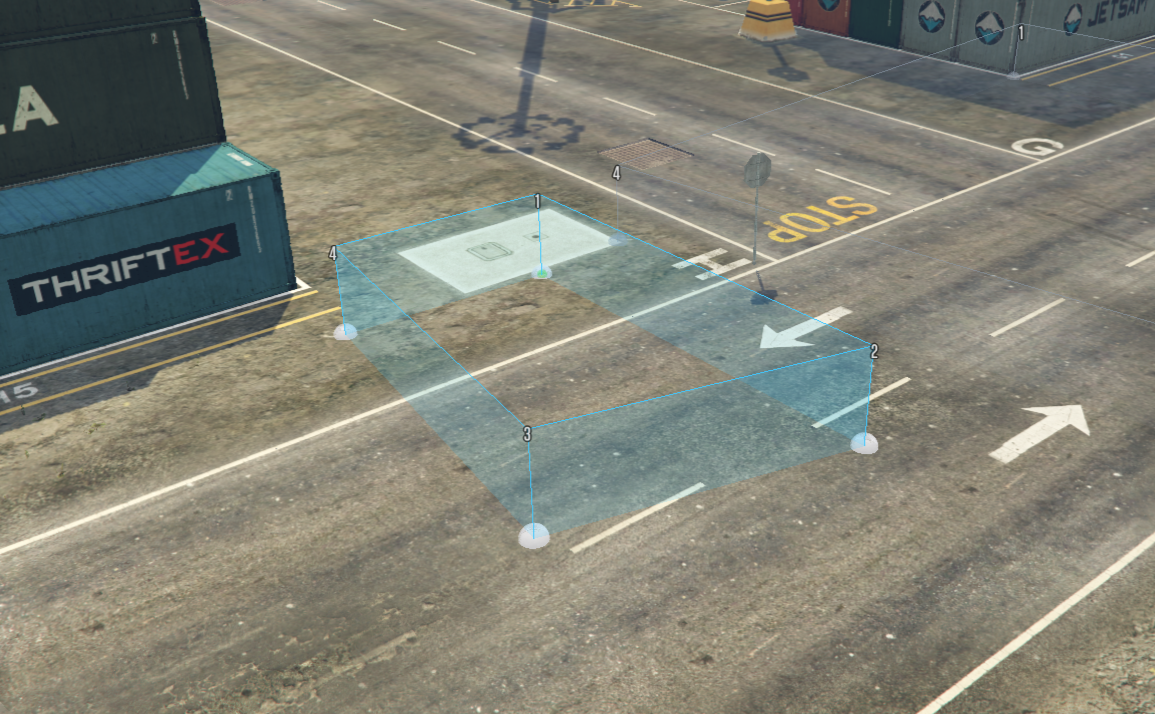
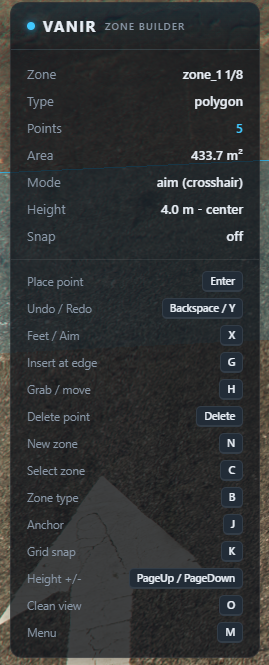 |
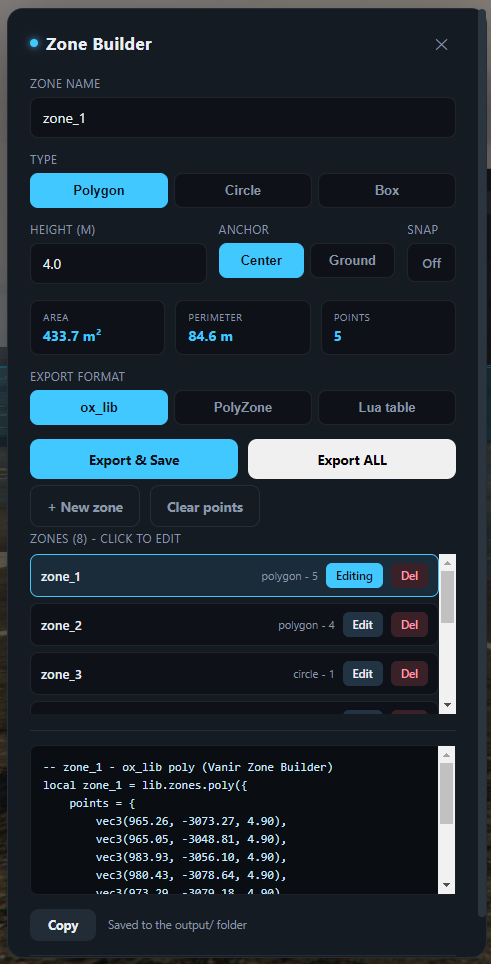 |
Almost every gang / turf / dealer / safezone script makes you author zones by pasting raw coordinates into a Lua table. Vanir Zone Builder turns that into a 30-second job: walk the corners (or point at them), shape it, and copy ready-to-use code for ox_lib, PolyZone, or a plain Lua table.
- Three zone types - polygon, circle (centre + radius) and box (two corners).
- Two placement modes -
feet(drop where you stand) oraim(drop where your crosshair hits). - Full point editing - insert a point into the nearest edge, grab & move any vertex, delete the nearest vertex, with undo / redo.
- Live 3D preview - vertices, numbered labels, translucent walls, and a live area / perimeter readout.
- Adjustable height with a center / ground anchor.
- Grid snap for tidy, aligned zones.
- Zone manager - build several zones in one session, keep them in a list, reload or delete them, and export all into a single file.
- One-click export - copies to clipboard and saves to the resource
output/folder. JSON is saved alongside. - Rock-solid keys - in-editor keys are read straight from the keyboard, so what the HUD shows is exactly what fires.
- Clean & light - 0.00 ms when idle; the loop only runs while the editor is open.
- Drop
vnr_zonebuilderinto your server'sresources. - Add to
server.cfg:ensure vnr_zonebuilder - Restart the server.
| Action | Key |
|---|---|
| Toggle editor | F7 |
| Place point / drop grabbed vertex | Enter |
| Undo / Redo | Backspace / Y |
| Feet / aim placement | X |
| Insert at nearest edge (polygons) | G |
| Grab / move nearest vertex | H |
| Delete nearest vertex (polygons) | Delete |
| New zone | N |
| Select nearest zone | C |
| Cycle zone type (poly/circle/box) | B |
| Height anchor (center/ground) | J |
| Toggle grid snap | K |
| Raise / lower height | PageUp / PageDown |
| Clean view (hide HUD + dots, keep zones) | O |
| Open menu | M |
Every key is a FiveM key binding, rebindable in Settings -> Key Bindings -> FiveM (search "Zone Builder"). Defaults are set in
config.lua(thedefaultfield is a FiveM key-mapper name such asRETURN,BACK,PAGEUP).
- F7 to open. Pick a type with B (or in the menu).
- Polygon: walk/aim the corners, Enter at each. Circle: Enter once for the centre, again on the rim. Box: Enter on two opposite corners.
- Tidy it: G to insert a point, H to drag a vertex, Delete to remove one, Backspace/Y to undo/redo.
- Build several zones at once: every zone stays visible. N finishes the current one and starts a new zone; C makes the zone nearest your cursor active to edit it; the menu lists all zones with Edit / Del.
- M to name it, choose a format, Export & Save, then Copy (or grab the file from
vnr_zonebuilder/output/). Export ALL writes every zone into one file. - Want a clean shot? O hides the HUD and dots and keeps just the zone shapes on screen.
local downtown = lib.zones.poly({
    points = {
        vec3(215.41, -810.22, 30.10),
        vec3(248.77, -795.13, 30.10),
        vec3(233.05, -762.84, 30.10),
    },
    thickness = 4.0,
    debug = false,
    onEnter = function(self) end,
    onExit = function(self) end,
})- Saving uses the server native
SaveResourceFile. To restrict who can export, setConfig.RequireAce = trueand grant the acevnr_zonebuilder.saveinserver.cfg. - ox_lib zones use a single z plane plus a thickness, so a polygon export flattens to one plane spanning the zone's full vertical range (this keeps it matching the preview on sloped ground).
- Exporting two zones with the same name writes to the same file, so give zones distinct names. Export ALL auto-uniquifies names (
foo,foo_2). - All colours, keys, grid size and defaults live in
config.lua.
Made by Alvaner (Vanir).