A standalone desktop Git client for exploring and working with repositories on Windows and Linux. Commits brings the Git Graph interface to a native app powered by bones.




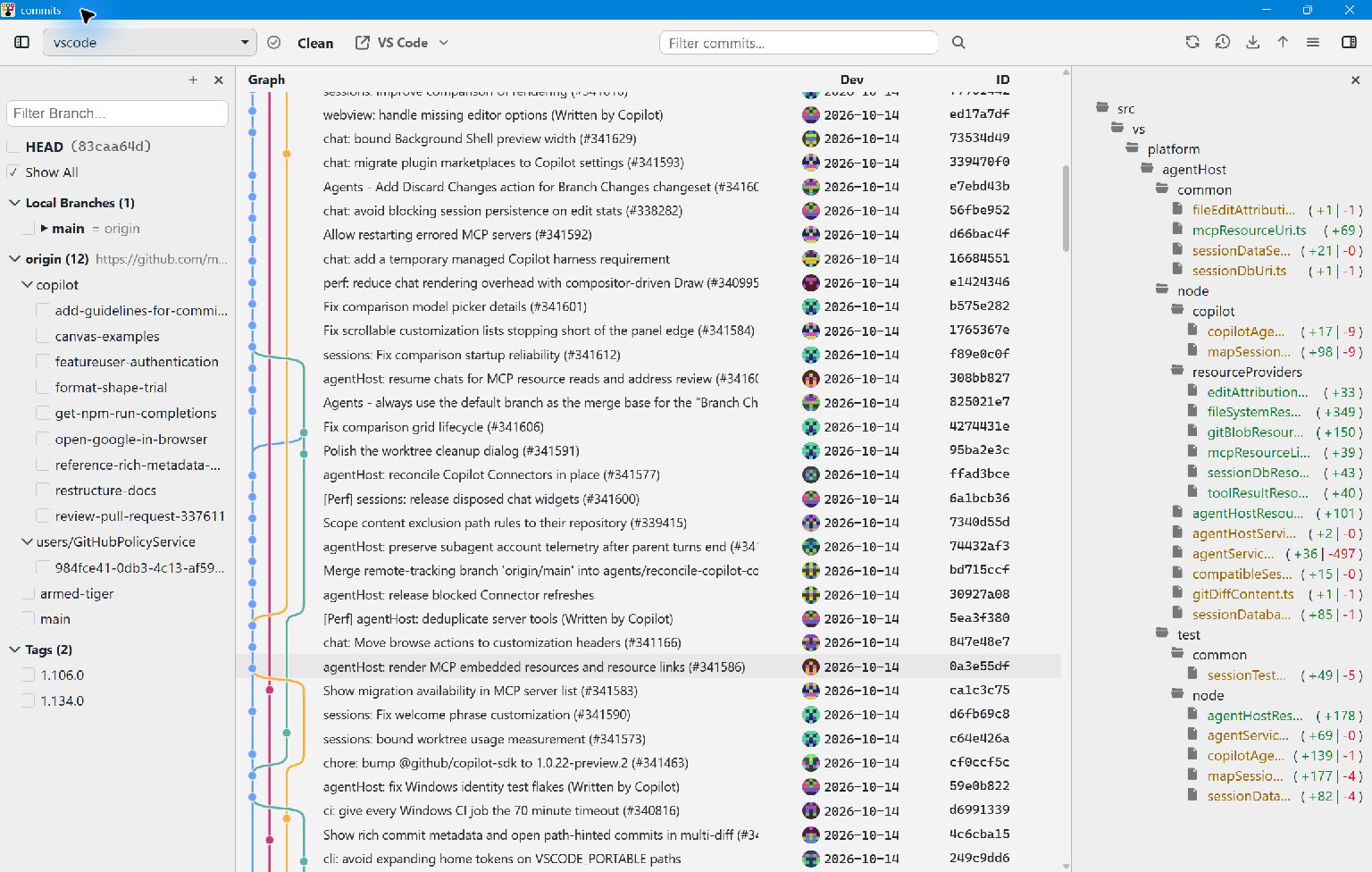
Open a repository to browse its commit graph, inspect changes, and use Git actions in one place. The desktop app shares its core and webview with the Git Graph extension while running independently of VS Code.
This is an AI-driven project: AI tools help develop and maintain it. People are welcome to contribute with or without AI. A human reviews every contribution before it is accepted; contributors should understand and verify the changes they submit. See Contributing for the review process.
- Download the ZIP for your platform from the latest release: Windows x64, Windows ARM64, or Linux x64.
- Extract it to a folder and run
commits-app.exeon Windows orcommits-appon Linux. On Linux, make the executable runnable if your extraction tool did not preserve its permissions (chmod +x commits-app).
Choose a repository in the app. You can also pass a repository path when launching it from a terminal, for example ./commits-app /path/to/repository on Linux or .\commits-app.exe C:\path\to\repository in PowerShell.
The release ZIP contains the app payload. To build a launcher and install the app from source, follow Build from source. The installed app can register itself with the desktop and check for updates; desktop integration and updating explain those features.
- Browse commit history and switch between repositories.
- Inspect commits, changed files, and diffs with syntax highlighting.
- Work with branches and perform Git actions from the graph.
- Open a repository or a folder containing repositories from the command line.
Callers can use command-line navigation, repository sources, and session themes. The repository health contract defines the verdicts shown beside the repository selector.
Adjust appearance, desktop behavior, and external tools through settings.
The documentation index links to architecture decisions, configuration, build and release details, and troubleshooting. The changelog lists what each version changed, and the roadmap records product direction.
| Area | Purpose |
|---|---|
| Desktop app | Native host, WebAssembly adapter, and webview |
| Shared packages | Core logic and webview shell |
| Native crates | Reusable operating system capabilities |
Bug reports, documentation improvements, tests, and code are welcome. Start with the contribution guide, which covers setup, useful areas of the codebase, checks, and pull requests. You can browse open issues or open an issue to discuss an idea before taking on a larger change.
Commits is released under the MIT license. See third-party notices for upstream lineage and dependency terms.
The project is under active development. Releases currently target Windows x64, Windows ARM64, and Linux x64; CI builds all three and runs tests on Linux x64 and Windows x64.