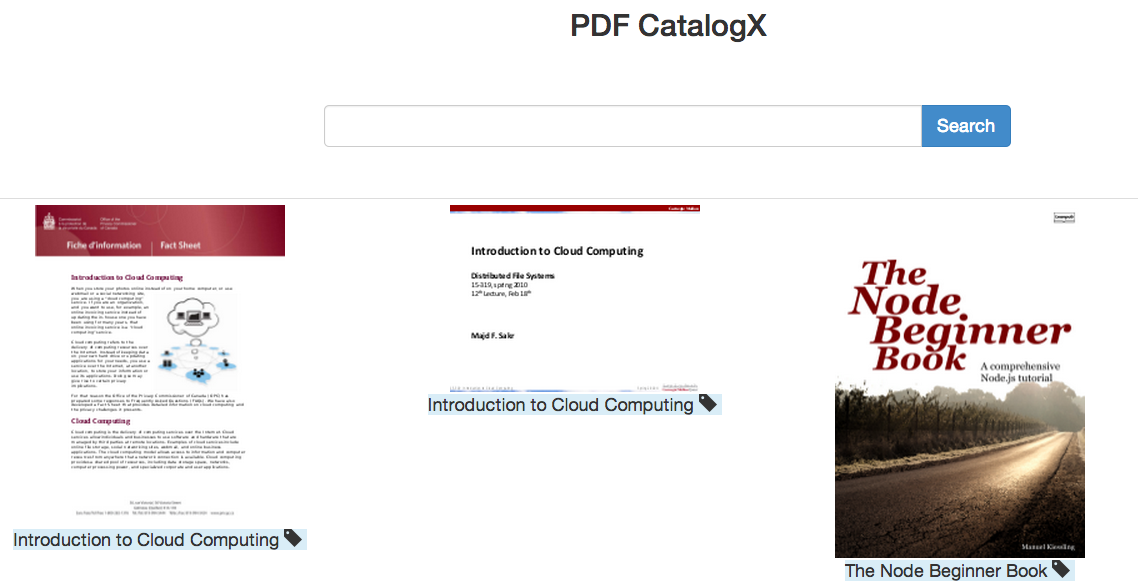
Publish PDF Catalog to the web. Automatically generates thumbnails & searchable catalog (extracting metadata from PDF titles).

- Node.js
- Grunt (JS Task Runner)
- ExpressJS Web Framework
- Handlebars.js Templating Library
- pdfutils.js npm module (for reading PDF metadata & generating thumbnails)
- Mongoose ORM
- MongoDB
Make sure Node.js v0.10.29 or up and npm are installed.
Clone this repo:
git clone https://github.com/badarahmed/pdf-catalogX.git
Run npm install to install all node dependencies:
npm install
Install MongoDB. Follow instructions here: http://docs.mongodb.org/manual/installation/
Upload all PDF files in public/pdf folder. Then, run the populatedata.js script in dbx folder:
node populatedata.js
This will import all PDFs in public/pdf folder and automatically generate a catalog (in a mongodb database), generate thumbnails in public/img. It also creates search tags for each PDF based on PDF comma seperated title (PDF metadata) as input.
You can use grunt (default target) to start a local webserver & serve the app over it:
grunt
PDF CatalogX is now live!