English · 简体中文
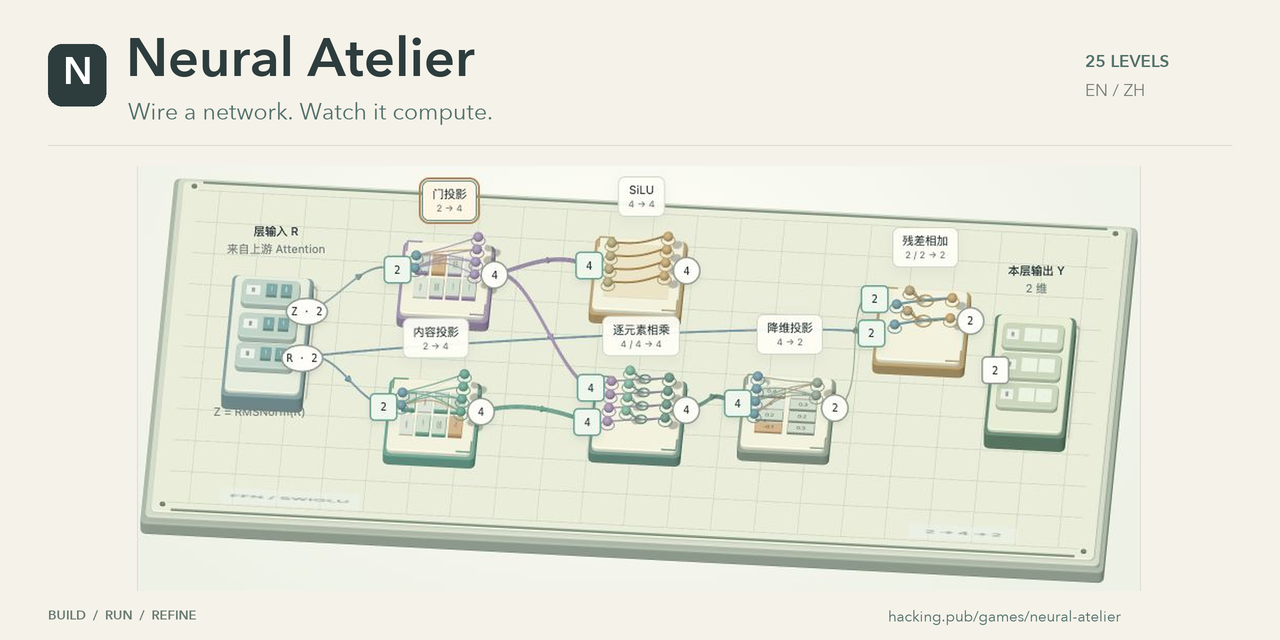
Build a neural network with your own hands. Connect modules on a 3D workbench, run your circuit, and watch vectors travel through the computations. If the output misses the target, inspect the modules and try a different connection.
Play in your browser → · Run locally · How to play
58 levels · Desktop / WebGL 2 · English + Chinese · No account required
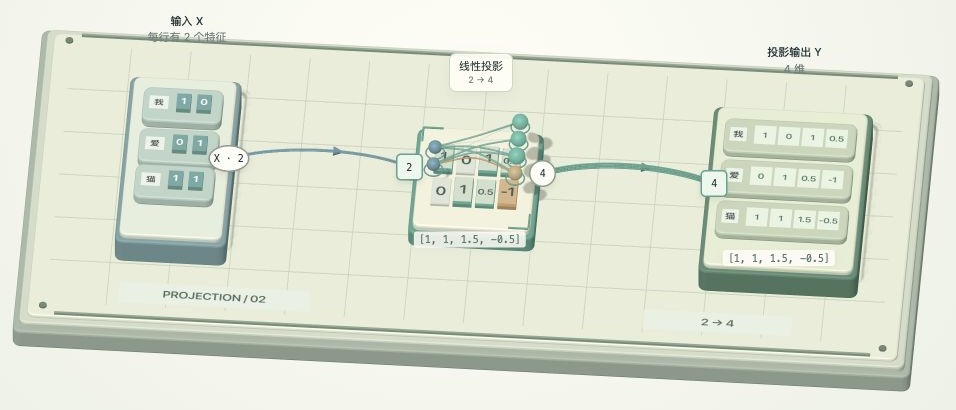
Start with one wire and a small matrix. Later, combine projections, activation, gating, and residual connections into a working FFN. Double-click a module to open its illustrated card, rotate its model, and explore its computation.
| A matrix changes the vector | A closer look inside a module |
|---|---|
 |
 |
Gameplay images, including the cover, use captures from an earlier Chinese-language build. The current game supports both English and Chinese.
The circuit you build determines the result. Run it to see data move through the network; feedback appears at the end, leaving you room to work out the connections yourself.
In Settings → Game progress, Clear completion badges only clears completion records while keeping your circuits. Start over in all levels restores each lesson’s starting board and clears its completion record. Undo the last full reset restores the boards and progress saved before that reset. Stop a running simulation before using these controls.
From Causal masking onward, the shelf groups combined modules and basic modules, with earlier parts in an expandable section. Compatible alternatives stay available; grouping does not reveal the required wiring. The same organization applies to modern extensions.
The Cloud inference track sits between modern models and on-device inference. Six playable lessons start with CPU/GPU transfers, CPU fallback and resident GPU intermediates, then teach column sharding, row sharding, and a two-GPU FFN. See the cloud curriculum and pinned model references for the planned multi-node, MoE, CUDA Graph and MTP progression. Later stages are not playable yet.
The 30-level main track teaches the original Transformer first. 13 modern extensions then compare SiLU, SwiGLU, RMSNorm, Pre-LN, and RoPE. The 6-level cloud track starts with one GPU and then introduces tensor parallelism before a separate 9-level bonus track explores on-device inference inspired by Qwen 27B, Kapitsa, and Apple ANE. Choose a track from the level menu; finishing one does not automatically enter another.
| Stage | What you build and explore |
|---|---|
| Prologue · 7 levels | Route a vector, project, apply ReLU, down-project, assemble the original FFN, place that packaged FFN, and add a residual around it. |
| Original network · 21 levels | Embeddings, sinusoidal positions, LayerNorm and Post-LN; Q/K/V, scores, Softmax, weighted aggregation, single-head and multi-head attention; a four-feature bridge, encoder, masked attention, cross-attention, decoder, and the complete encoder–decoder. Learn vocabulary scores, selection and a separate generation loop, then run the fully expanded model. |
| Module transitions · 2 levels | Reuse the previously packaged Q/K scoring module, then assemble two-head masked attention later in the track. The FFN is assembled and reused in prologue levels 05–06; reuse exercises do not award the same module again. |
| Modern extensions · 13 levels | Compare SiLU, single-branch and gated FFNs, SwiGLU, RMSNorm, Pre-LN, RoPE and a modern decoder block. |
| Cloud inference · 6 levels | Upload inputs, handle CPU fallback, keep intermediate results in GPU memory, and build column sharding, row sharding, and a two-GPU FFN. |
| On-device inference · 9 levels | Place work on CPU, GPU, and ANE; explore tensor layouts, batching, KV caching, quantization, fusion, parallel execution, and prefix reuse. |
The main track follows the operation order in Attention Is All You Need (2017): ReLU FFNs, additive sinusoidal positions and Post-LN, including both the encoder and decoder. Basic operators use two features; complete layers use four features, two heads and one layer so repeated normalization still leaves visible feature differences. LayerNorm uses scale 1 and shift 0, FFN biases are zero, and inference disables dropout. The fixed weights are for learning, not a trained translation model. The final generation-loop exercise uses a separate transition table to explain control flow.
The level selector groups the main route into six learning stages, with shortcuts and per-stage progress. Diagrams distinguish level 10’s component extension, level 11’s input preparation, and level 12’s encoder assembly, then mark level 13 as the start of the decoder. The encoder’s output returns as source information in level 15. Existing level numbers, links and saved circuits stay the same.
After the placement tutorial, shelves accumulate previously taught modules for the current vector or sequence format. They include optional choices, not just a reference circuit’s parts; future modules stay locked until introduced. Original and modern chapters share learned components, while engine lessons group work into costed scheduling tasks. Module cards show the internals of packaged computations. Existing circuits, completion badges and chapter URLs are preserved.
The later puzzles add memory and execution-cost constraints to the numerical goals. A correct circuit is the starting point; choosing where and how it runs becomes part of the puzzle.
| Action | Control |
|---|---|
| Connect modules | Click a round output port, then a square input port, or drag between them. |
| Delete a wire | Click the wire (or its connected input port), then Delete wire. Delete / Backspace also removes the selected wire. |
| Delete a module | In construction levels, click a module, then Delete module beside it. Undo restores the module and its wires. |
| Arrange the workbench | Drag a module to move it. |
| Build from the shelf | Drag a module card onto the table; its 3D preview follows your cursor. Click a card, then a free spot as an alternative. Return module removes that copy and its wires. |
| Explore the scene | Drag empty space to rotate; scroll to zoom. During a run, dragging the workbench or a module rotates the view without moving the module. |
| Pan the view | Every level has Pan view beside Reset view. Turn it on and drag, or hold Shift/right-drag. Panning also works during runs and pauses; it does not move modules. |
| Get a hint | Click Hint beside the level selector to view the detailed architecture, this lesson’s focus and its output. Close with ×, Escape or the backdrop. |
| Look up a term | Hover or focus a dashed-underlined term such as FFN, RMSNorm or residual to read a one-line definition in the current language. The popover closes when the pointer leaves, on Escape, or when the page scrolls. |
| Inspect a module | Double-click it on the workbench or shelf to open its card. Shelf previews work even when stock is exhausted; Enter also opens a focused shelf item. |
| Test your circuit | Click Run my network and watch the vectors move. |
| Pause a run | Click Pause beside the run button. Rotate or zoom while frozen, then click Resume to continue from the same moment. |
| Finish a level | After all inputs pass, choose Replay level to return to your current circuit, or Next level. Replay keeps all modules and wires; click Run my network when ready. |
| Change levels | Click Choose a level in the header. Unfinished circuits are saved; completed prologues reopen as fresh challenges. |
| Return to the title screen | Click the N / Neural Atelier brand at the top left. |
The header shows the current lesson’s summary alongside its title. Hint explains the structure and output, and groups packaged computations such as completed attention weights with their internal steps. LayerNorm cards include the full formula, the mean and variance, and the scale and offset parameters. When a residual connection appears to use the wrong source, a short hint asks you to reconsider which features enter that sublayer.
In Give each chip the right job, all six modules start connected and assigned to CPU. Select a chip badge beside a module’s name, then click CPU, GPU, or ANE below the board, or drag the badge to that chip’s area. The goal is to reduce the simulated first-token latency to 110 ms or less. Engine lessons require both numerical correctness and their performance constraints. A failed performance check shows the measured value and target beside the run controls, with all missed targets at the top of the report.
The left shelf starts in its smallest size. Use − / + to resize it, Hide shelf to collapse it, and Module shelf to reopen it. Your chosen size is remembered.
In Build one original encoder layer, diagrams distinguish exchanging information between tokens from processing each token with the FFN. The shelf groups four-feature operators together, including familiar alternatives, and keeps earlier parts in an expandable section. Residual addition and LayerNorm each use one shelf entry with two copies; previously saved positional names and wiring remain valid.
The first prologue connects input directly to output. Prologues 02–05 provide fixed modules with no wires connected. Prologue 06, Use the FFN you just built, starts with an empty table: drag in the ReLU FFN assembled in Prologue 05 and wire it yourself. Prologue 07 starts empty too: place that same FFN plus residual addition to compute X + FFN(X), with ReLU still inside. From Prologue 06 onward, building lessons keep the shelf available. Every subsequent Original-track puzzle starts with an empty table, even when its shelf has only one module. Drag the required components in, then wire them. Modern extensions use a mixture of prepared modules and empty construction boards. Lessons with prepared modules may begin with earlier steps already connected. In those lessons, Rebuild clears all wires while keeping the modules in their current positions. The FFN, modern Attention, and modern block construction lessons begin empty. Cloud lessons also begin empty. Engine lessons begin with a connected six-module circuit. Previously auto-filled Original boards with no connections are archived before opening an empty table; Restore previous solution recovers that layout. Connected boards and completed saves continue as before. Open construction levels allow multiple copies, each with independent connections. The shelf shows remaining stock and the table limit: 8 modules for the FFN, 12 for Attention, and 7 for the Transformer block. Each module type has two copies, except the FFN's four linear projections, which combine the formerly identical linear and content projection stocks. Returning a module restores its stock. Existing saves keep all copies, positions, and wires after the merge.
After completing a prologue, explicitly selecting it from another level starts a fresh challenge. Restore previous solution brings back your last completed layout and wiring without running it. Refreshing or using browser Back / Forward instead resumes the saved attempt, including its completion status; returning to the current level from the home or level menu keeps its board. Unfinished attempts continue where you left off, including attempts at a level you have beaten before. Replay level in the completion dialog stays on your current board without resetting or running it. Original network puzzles, modern extensions, and engine levels continue to load saved circuits directly. The final Run the complete original Transformer demonstration always opens with all 67 basic operators placed and wired. Just press Run: one encoder layer, one decoder layer, two heads, four model features, ReLU FFNs, vocabulary probabilities and selection. The modules float in a three-dimensional space, without a board. Drag to orbit freely; Shift/right-drag or toggle Pan view to move the view; scroll to zoom around the pointer. Region buttons and double-click cards help you inspect the model. Its default 0.25× setting keeps each matrix column visible for about one second, matching the other lessons. There is no forced total-duration compression; pause or raise the speed for a faster overview. Follow data smoothly tracks the active computation during a run. Dragging, zooming or choosing a region returns control to you; turn following back on whenever you want. Modules and wiring stay fixed. Each new token feeds the next round; full text remains visible while matrices use a three-token rolling display window. Untrained weights can repeat tokens. Choose Wide, Medium or Close following; the camera returns to the model center at the end.
At composition milestones such as Self-attention, a successful network gathers into one component and flies into the left shelf before the completion dialog appears. The collected component performs the same calculation and can be dragged into compatible building lessons. Your original layout stays saved. The animation can be paused or skipped and respects reduced-motion preferences.
There are 15 collection milestones, covering the original FFN, attention weights and attention networks, the wider embedding input, encoder and decoder layers, the complete original encoder–decoder, SiLU and SwiGLU FFNs, the FFN with its residual, modern Attention, and the modern decoder layer. The fixed FFN prologue shows its collected block for inspection and later use; its board stays fixed until the placement tutorial. A package keeps its exact port sizes and operations: an FFN update, an FFN with a residual, and a normalized sequence FFN are distinct components.
Same tokens, wider features compares the two-feature and four-feature embedding tables for the same token. Each coordinate is one number in its representation, not necessarily a named property. The lesson switches tables for teaching; it does not project the previous lesson’s output to a wider size. A real model usually chooses its embedding width from the start.
The FFN reuses Linear projection for its content branch; the card explains this role and compares it with the different weights in Gate projection. The modern extension track introduces SwiGLU after the original encoder–decoder foundations. Separate lessons cover different weights, elementwise multiplication, gating, and down projection; RMSNorm is taught before the final puzzle uses normalized input. Existing level links, circuits, and completion records stay valid after reordering.
The Speed slider sits beside Run my network and Pause, so you can adjust it while watching a run. Slide left to slow down or right to speed up. Runs start at 0.25× by default; your chosen speed is remembered. Settings contains language, music, and volume. Language follows your browser preference unless you choose one manually.
The animated title screen introduces the workbench. Music starts after you enter and pauses while the tab is in the background. You can mute it or replay the introduction from Settings.
SiLU has its own activation animation: values travel along curved channels and shrink according to their sigmoid gates. For vector projections, individual components leave the horizontal tray and align with their weight rows. Matching colors and a worked sum follow each output in turn, all at the same pace. Use the speed setting to speed up the whole animation. Drag modules to rearrange them or use Rebuild to start the level again.
Q/K/V projections use that same per-output animation for every token: the active weight column lights up, the actual products travel to its output neuron, and completed vectors wait under their token names before gathering. The Three roles lesson checks only V at the outlet. Q and K are optional here: they are used for attention scoring in later lessons, and V itself does not depend on them. Existing circuits and completion badges are preserved.
Moving vectors share a small tray with features arranged left to right, matching the input and output racks. A sequence keeps its token rows separate. You can rotate and zoom during execution; wiring and module placement stay locked until the run stops.
Progress and circuits are saved in this browser's localStorage, not in the URL. Navigation links use stable IDs in either language:
#wireor#encoder-layeropens that level's workbench directly; existing level links still work.#home?lesson=encoder-layeropens the title screen with that current lesson.#menu?lesson=encoder-layer&track=main&group=decoder&from=gameopens the level menu at a track and learning stage.lessonidentifies the current board, not the menu's browsing position;from=homeorfrom=gamesets where closing the menu goes. Tracks without stages omitgroup.
Refresh and browser Back / Forward restore the page, track, stage and lesson. Browsing the menu does not reset your circuit or undo history; ordinary scrolling does not create navigation entries. Opening a URL without a hash shows the title screen with the saved current lesson. Leaving the workbench or changing lessons stops any running or paused animation, but keeps a completion already saved before its collection animation. Returning to another lesson loads its latest local circuit, not a historical edit snapshot. Sharing a link does not share wiring or completion records.
The game requires a desktop browser with WebGL 2. Mobile layouts are not supported.
Use Node.js 22 or newer:
git clone https://github.com/chainhelen/neural-atelier.git
cd neural-atelier
npm ci
npm run dev
Open http://127.0.0.1:5173/. On later visits, run npm run dev from the project directory. Refresh after editing files; press Ctrl+C to stop the server.
To serve the game without Node.js, use Python from the project directory:
python3 -m http.server 5173 --bind 127.0.0.1Use an HTTP server rather than opening index.html directly, because the game uses ES modules.
Neural Atelier is a static frontend written in HTML, CSS, and JavaScript, with a local copy of Three.js r180. There is no build step, backend, account service, or database. Node.js is used only for development and tests.
| File | Responsibility |
|---|---|
index.html, style.css |
Page structure and styling |
game.js |
Interaction, scene, wiring, run animation, and level navigation |
model.js |
Scalar operators, circuit validation, and introductory FFN levels |
campaign.js |
Later levels and miniature Transformer calculations |
engine-model.js |
Teaching cost model for scheduling, memory, and quantization |
scene-art.js, module-cards.js |
3D module artwork and illustrated cards |
transformer-demo.js |
Prepared, fully expanded original model demonstration |
original-curriculum.js |
Original operators, bilingual lessons, encoder–decoder arithmetic and modern-track separation |
cloud-curriculum.js |
CPU/GPU placement, transfer checks, and tensor-parallel lessons |
lesson-io.js |
Lesson input/output descriptions and numerical examples |
structure-map.js |
Architecture diagrams and lesson hints |
glossary.js |
Term definitions and interactive popovers |
level-progress.js |
Local progress and circuit saves |
i18n.js, locales/en.js |
Browser-language detection and Chinese / English text |
shell.js, music.js |
Title screen, settings, and original synthesized music |
vendor/ |
Three.js and its MIT license |
Run the checks with:
npm testTests cover level solutions, arithmetic, saved progress, level links, settings, and animation state. DOM and scene tests use LinkeDOM and a stub renderer; visual changes and pointer interactions also need a browser check. GitHub Actions runs the tests on pushes and pull requests.
Ideas, bug reports, and pull requests are welcome. For gameplay bugs, include the level URL, browser, reproduction steps, and a screenshot when useful. For a new mechanic, start with a small playable example so its interaction can be tried early.
Serve the root HTML, CSS, and JavaScript files together with locales/ and vendor/. No node_modules/, test files, Git data, or development server is needed in production.
Relative asset paths and hash-based level navigation support subdirectories such as /games/neural-atelier/ without an application-route fallback. Nginx, GitHub Pages, and other static hosts work.
If your web server serves a Git checkout directly, update it from the repository directory:
git pull --ff-onlyThere is no build step or service restart. Refresh the browser after pulling. Configure the web server to deny hidden paths (including .git/) and revalidate HTML, CSS, and JavaScript with Cache-Control: no-cache, so visitors receive updates. Keep server-specific files and credentials outside the checkout.
To enable GitHub Pages on your own copy:
- Push the source to
main. - Open Settings → Pages.
- Choose Deploy from a branch, select
mainand/(root), then save. - Wait for deployment and open the URL shown by Pages.
The repository includes .nojekyll; no build command or npm run dev process is needed on Pages. The current public demo is hosted at hacking.pub.
If Neural Atelier helped you learn, you can support hosting and continued development through WeChat Pay, Alipay, or PayPal. Thank you!
Small-matrix projection, attention, and FFN puzzles perform actual arithmetic. Hardware scheduling and performance figures use a simplified teaching model; the game does not load a large language model or access the Apple Neural Engine.
The on-device exercises draw on Kapitsa's approach to inference. The pinned reference revision, model assumptions, and limits are documented in ENGINE_NOTES.md.
The third-party Three.js license is preserved in vendor/LICENSE.