
An open-source 2D character rigging and animation editor
Build a moving first draft from a layered PSD, then shape, rig, simulate and animate it in one workspace,
and export to Cubism, VTube Studio, its own runtime, the web, game engines or video.





Download · Quick start · Documentation · Changelog · Roadmap
PSD2Live is a complete 2D character rigging toolchain: it generates meshes, deformers, parameters, motions and physics from a layered PSD, lets you keep editing in a desktop editor, and compiles to Cubism, its own p2lrt runtime and several general formats. It has its own evaluation engine, project format and branching history. One-click generation is only the starting point: every edit is stored as a replayable record and still applies after regeneration.
Note
Cubism is the primary export target, not the limit of what PSD2Live can do. Features Cubism lacks, such as skeletons and 2D simulation, are baked on export into native deformers, parameters, keyforms and pendulums; the delivered model does not depend on PSD2Live.
| You are | What PSD2Live does for you |
|---|---|
| New to rigging and just want a moving model | Layer the PSD by the naming guide, import it and pick a preset: within minutes you have a model with idle, blink, nod and hair physics, ready for VTube Studio or the web |
| Not a modeler and want AI to do the work | A local MCP server lets agents such as Claude Code and Codex read and edit the project; every step lands in the same history, to check and undo in the editor |
| Experienced and tired of repetitive work | Meshes, deformer chains, facial parameters and physics in one click, then refine on the canvas; hand edits are stored as replayable records and survive regeneration |
| Looking for an open-source alternative | Editor, engine and project format are all open source; edit, preview and export .moc3 / .cmo3 without the official SDK |
| Held back by what Cubism offers | Skeletons and IK, 2D cloth and hair simulation and automatic armatures, tools Cubism does not have, baked into native structures on export |
| Putting characters into your own program | The open-source Rust runtime p2lrt plugs into C / C++, .NET, Android, the web and Godot, with its own software renderer; also video, frame sequences, and Spine, glTF and Unity (experimental) |
| Area | Capabilities |
|---|---|
| Generation | Chinese / English / Japanese / Korean layer names; adaptive meshes, head and body deformer chains, facial parameters, idle / blink / nod / shake motions, hair physics and cloth simulation |
| Canvas editing | Seven modes: Object, Deform, Edit, Simulate, Skeleton, Paint, Preview; deformation brushes, mesh topology editing, layer splits and depth splits, Warp / Rotation, Glue |
| Skeleton and simulation | Automatic armatures, FK / IK, preset motions; XPBD cloth and hair simulation; all baked into native Cubism structures |
| Animation and physics | Timeline, keyframes and curves; visual pendulum editing evaluated to match the Cubism Native Framework |
| Textures | Atlas layout, per-layer texture density, optional 2× / 4× upscaling |
| Compile and export | Every target compiles from one neutral rig IR, each export with a loss report |
| p2lrt runtime | Open-source Rust runtime: C ABI, software renderer, WebAssembly web player, Godot 4 node, .NET and Android builds; matches the editor's evaluation pose for pose |
| Agents | Local MCP server with more than 180 public operations, sharing commands and history with the editor; atomic batches and dry runs |
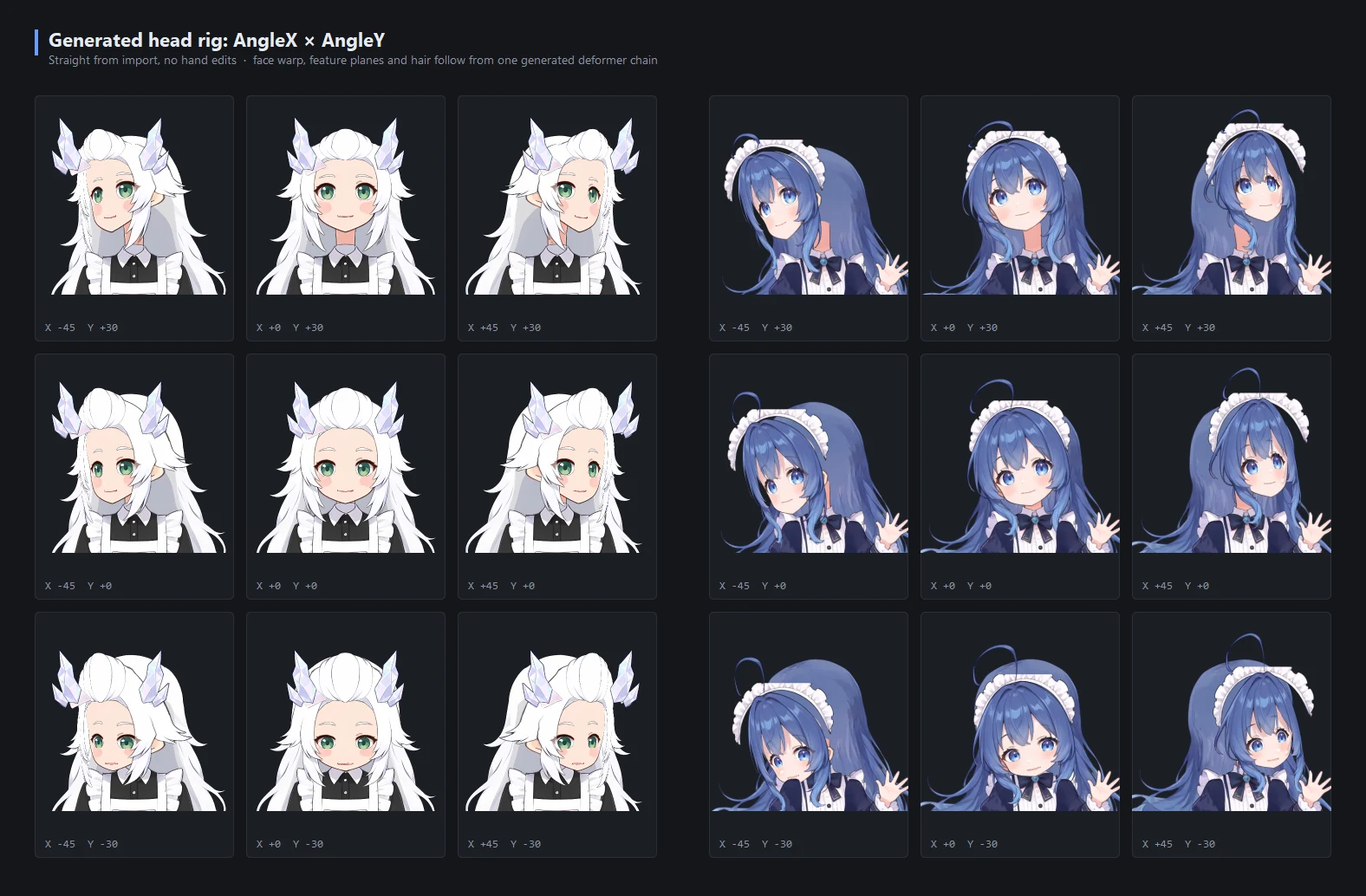
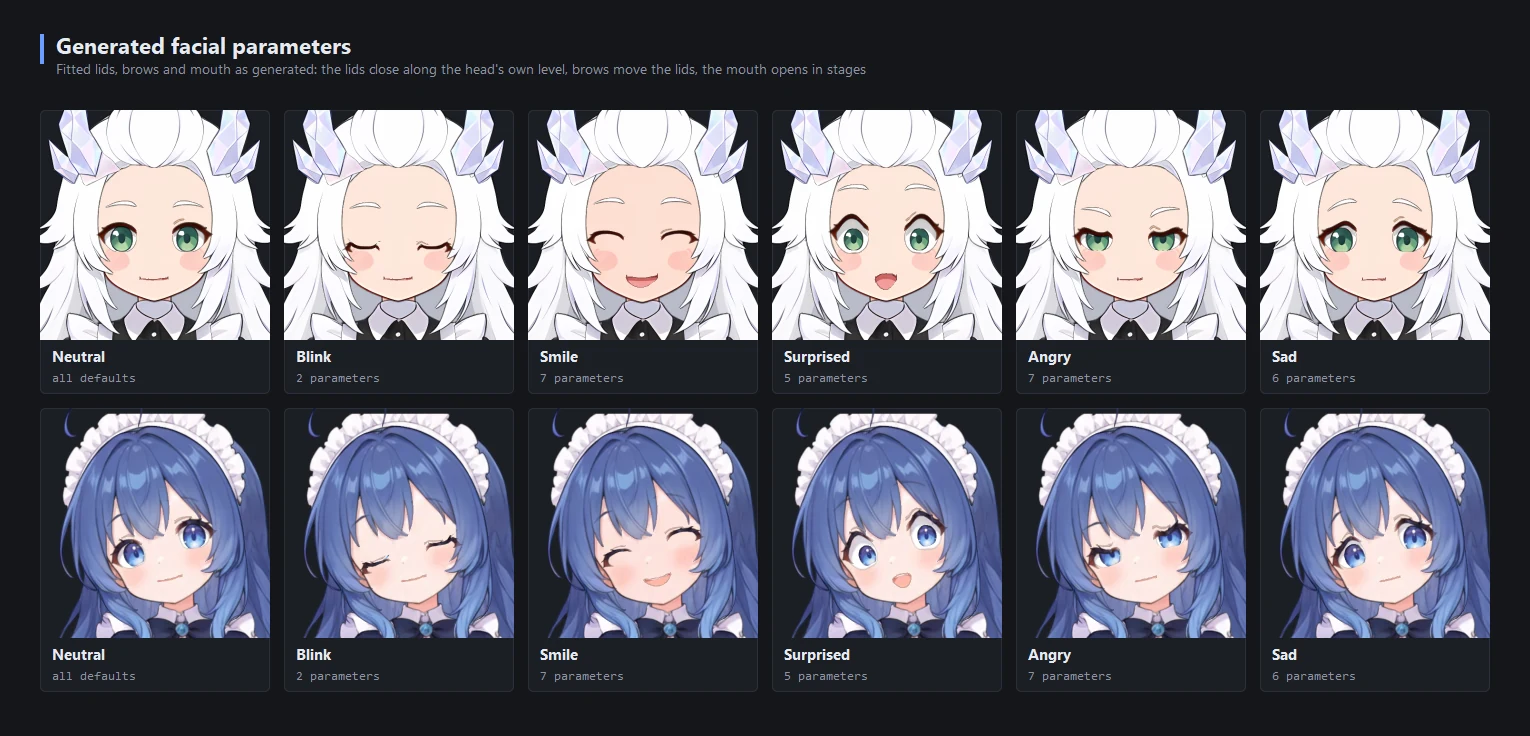
The images below come from the two example PSDs in the repository (the knee test and the body-motion animation use a separate long-legged character project). Both examples were imported with the Full preset and not edited by hand; hair and skirts move by baked simulation. Test plates are produced by the development tools and command-line exports; editor screenshots are frames rendered by the real editor window.
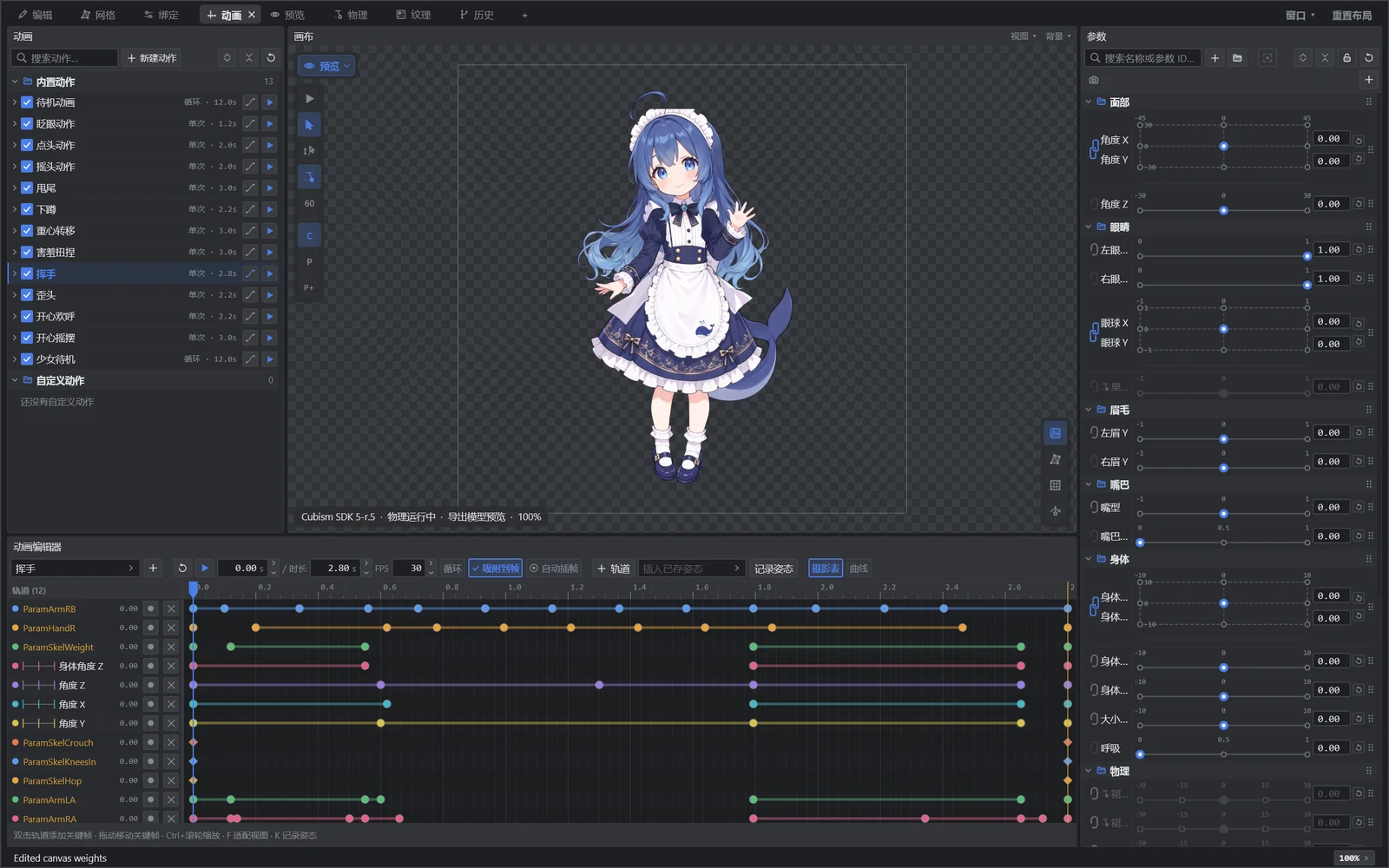 Animation: motion list, timeline and curves; preview and parameters follow the playhead |
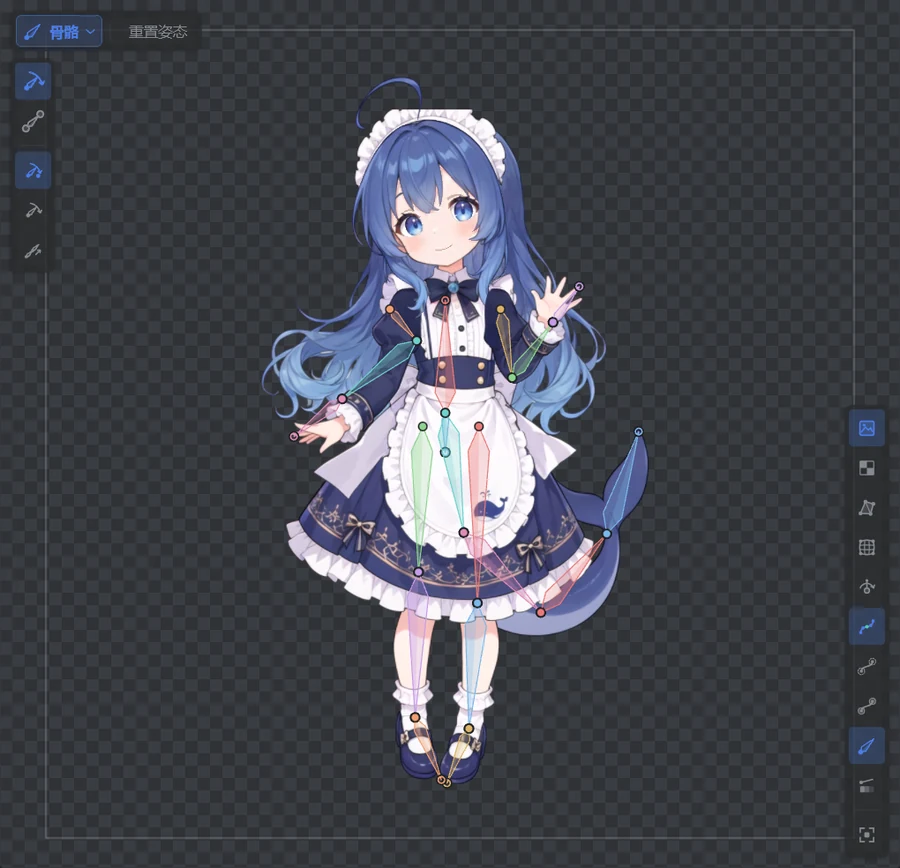 Skeleton: adjust joints and pose with FK / IK on the canvas |
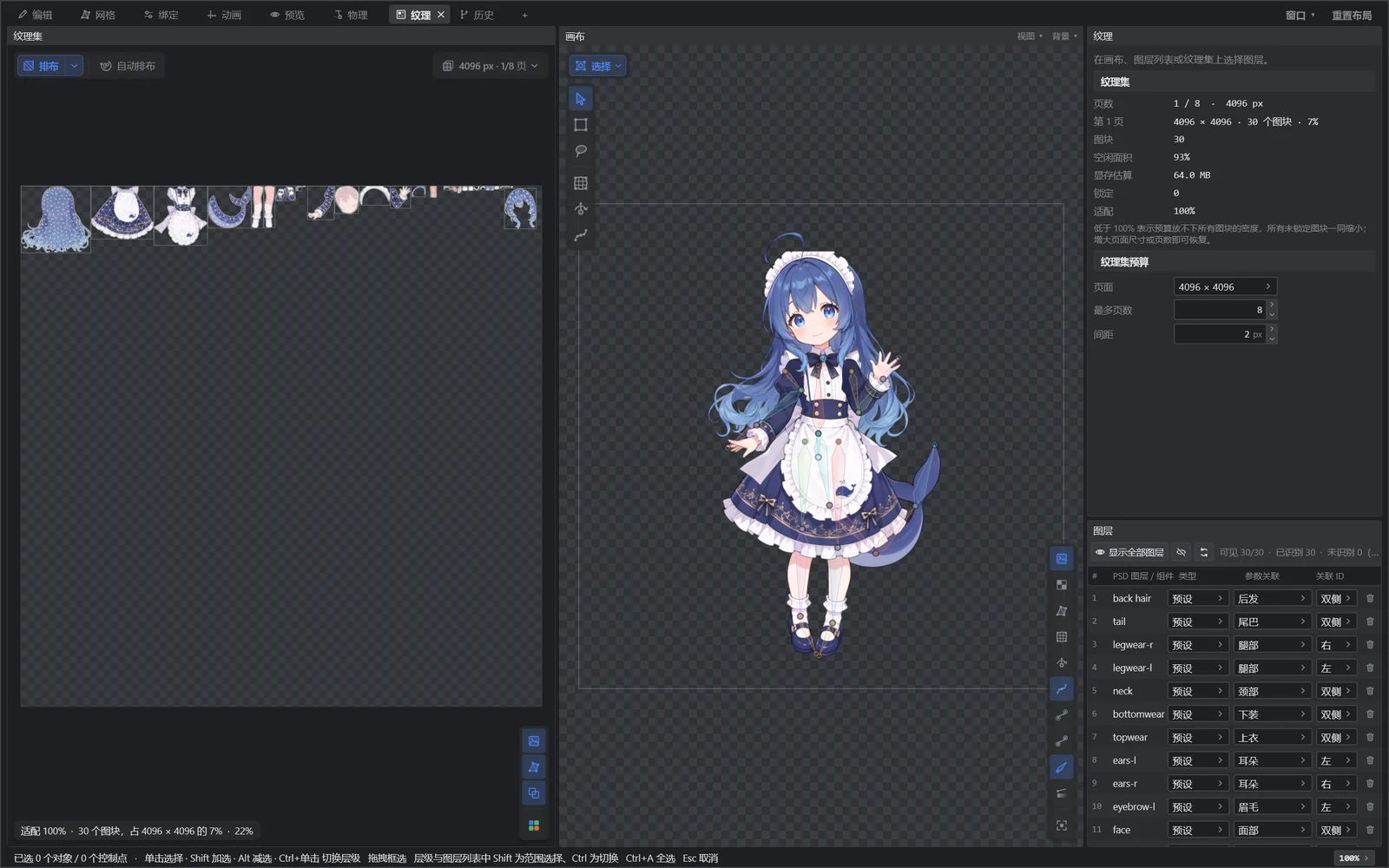 Textures: arrange tiles on the atlas and set texture density per layer |
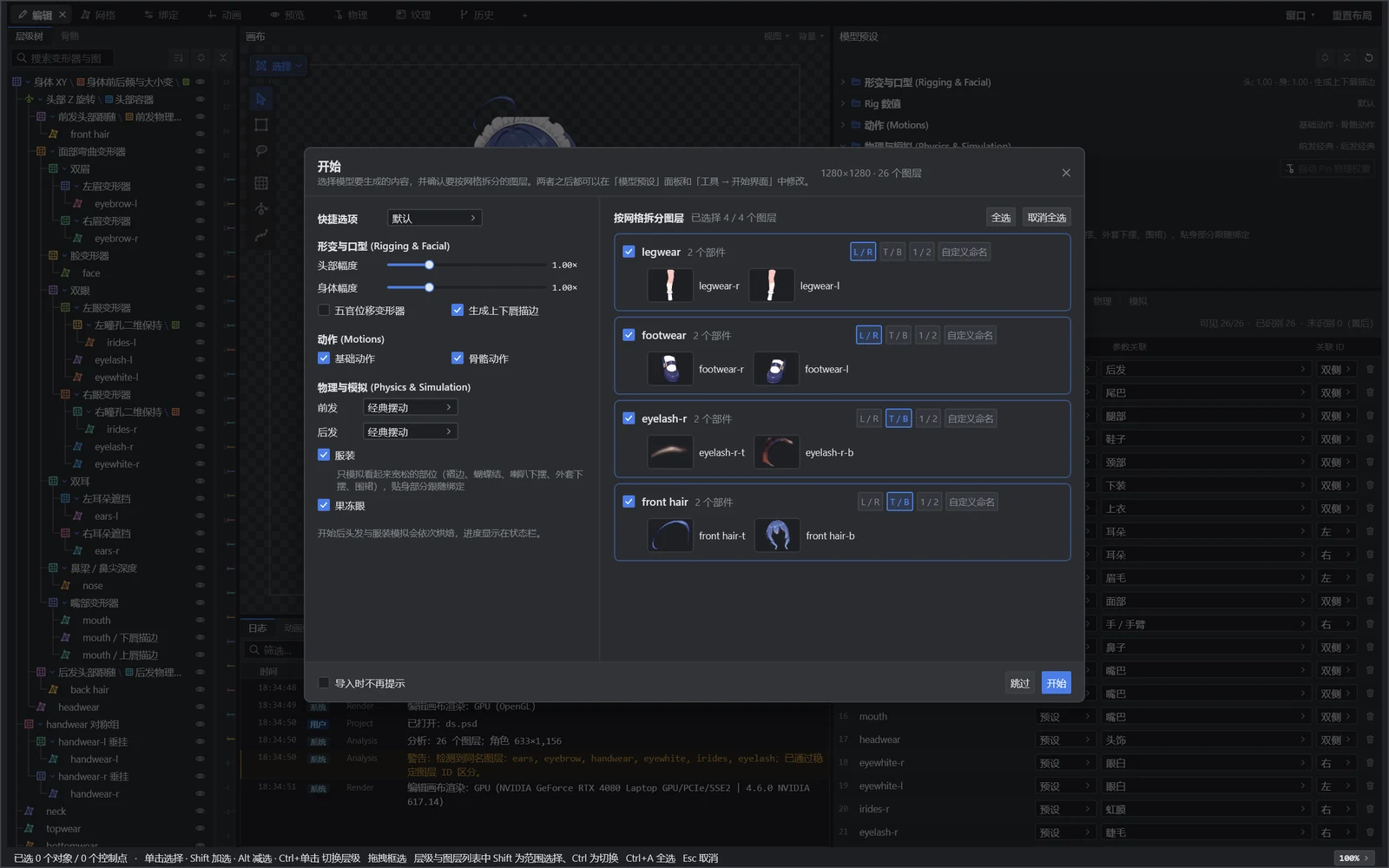 Start: pick presets and drop a PSD to generate in one go, or start a layout project or reopen a recent one |
The body angle moves up and down, side to side, then round an ellipse. Hair, skirt, sleeves and bow follow by baked simulation: they lag behind each rise and turn and swing back once the body stops. On the left, each part's pin weights: 1 follows the body, 0 is free, values between pull in proportion.
A complete head and face rig on import: face warp, feature planes, hair and body follow-through are driven by one generated deformer chain.
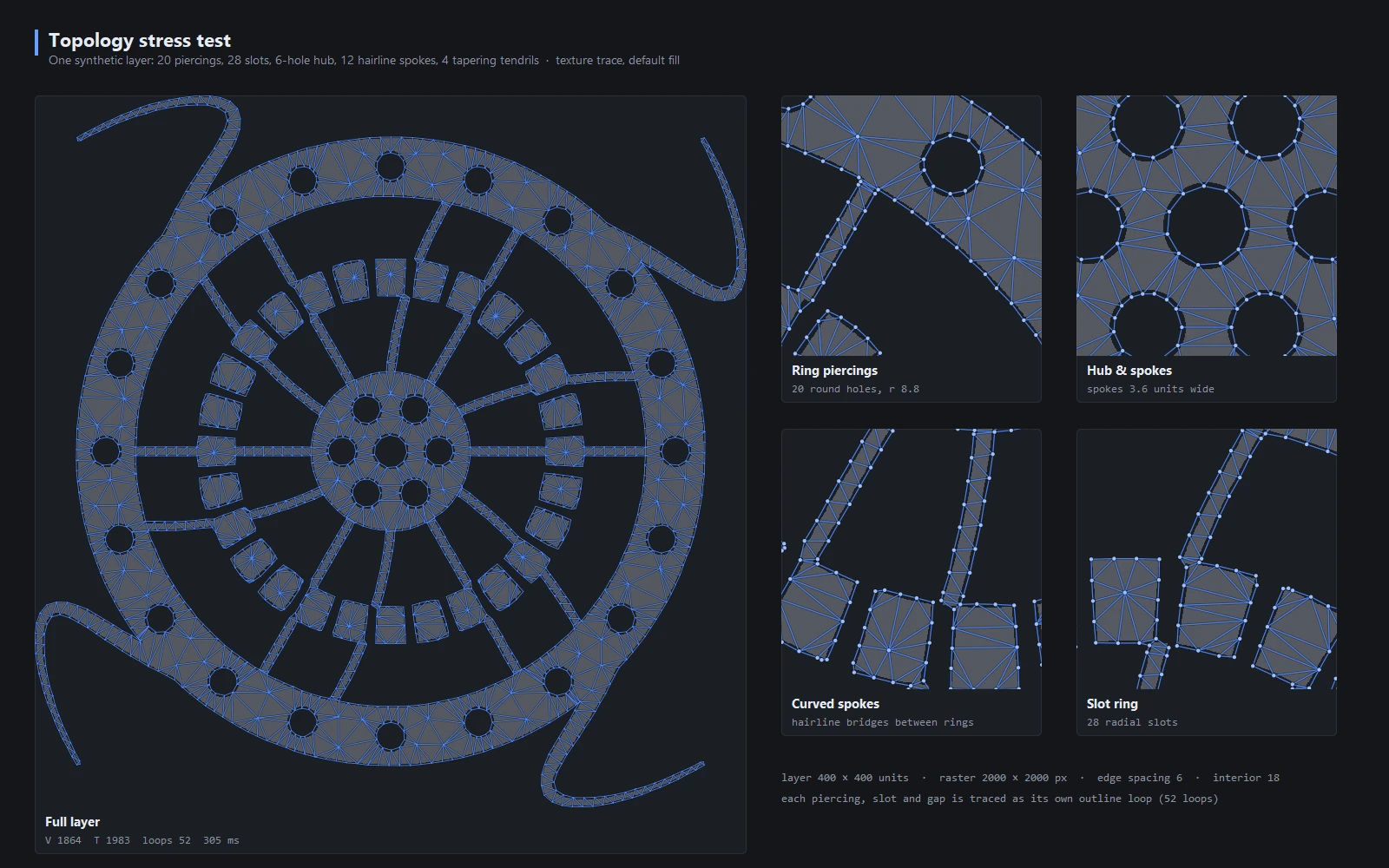
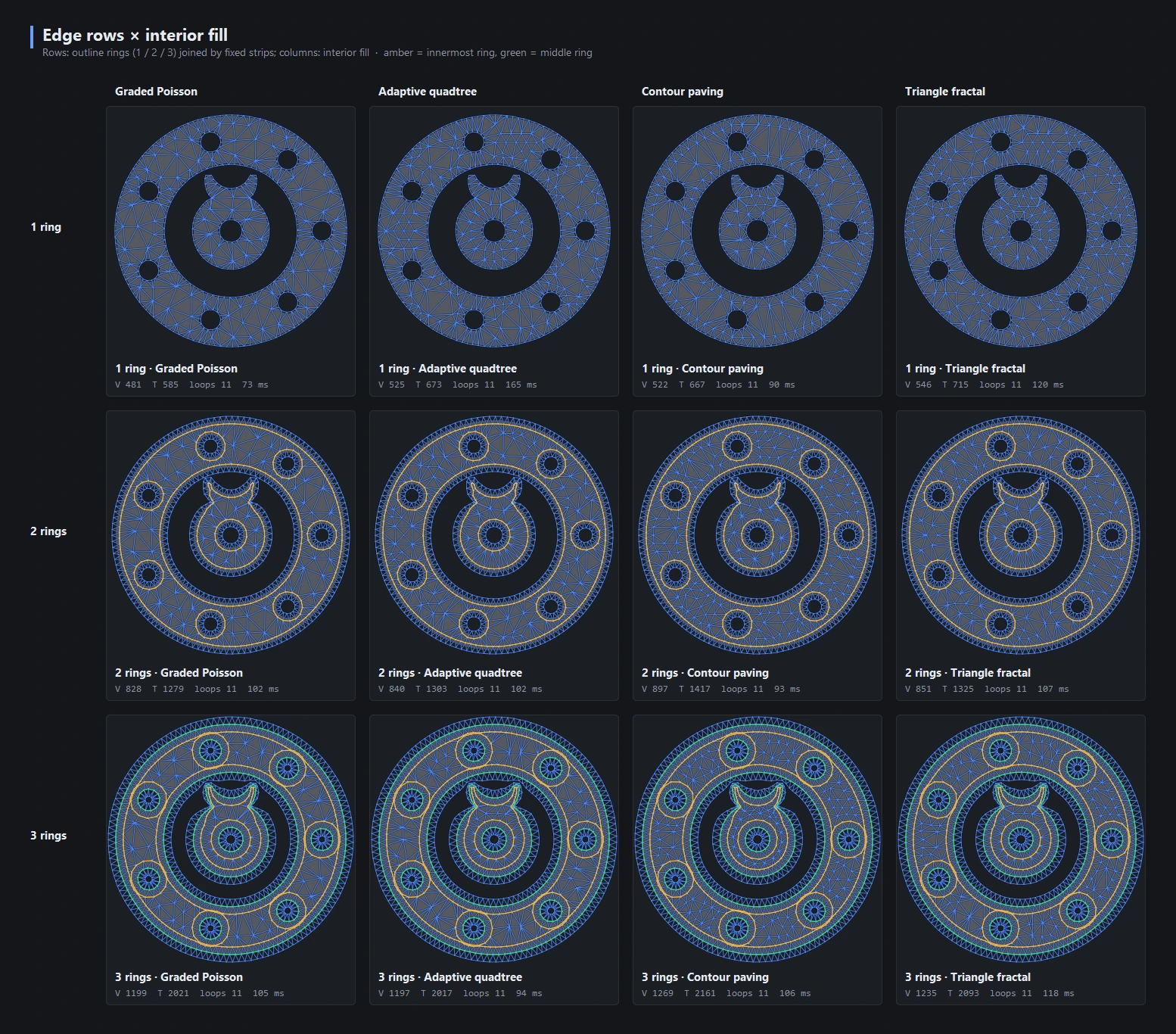
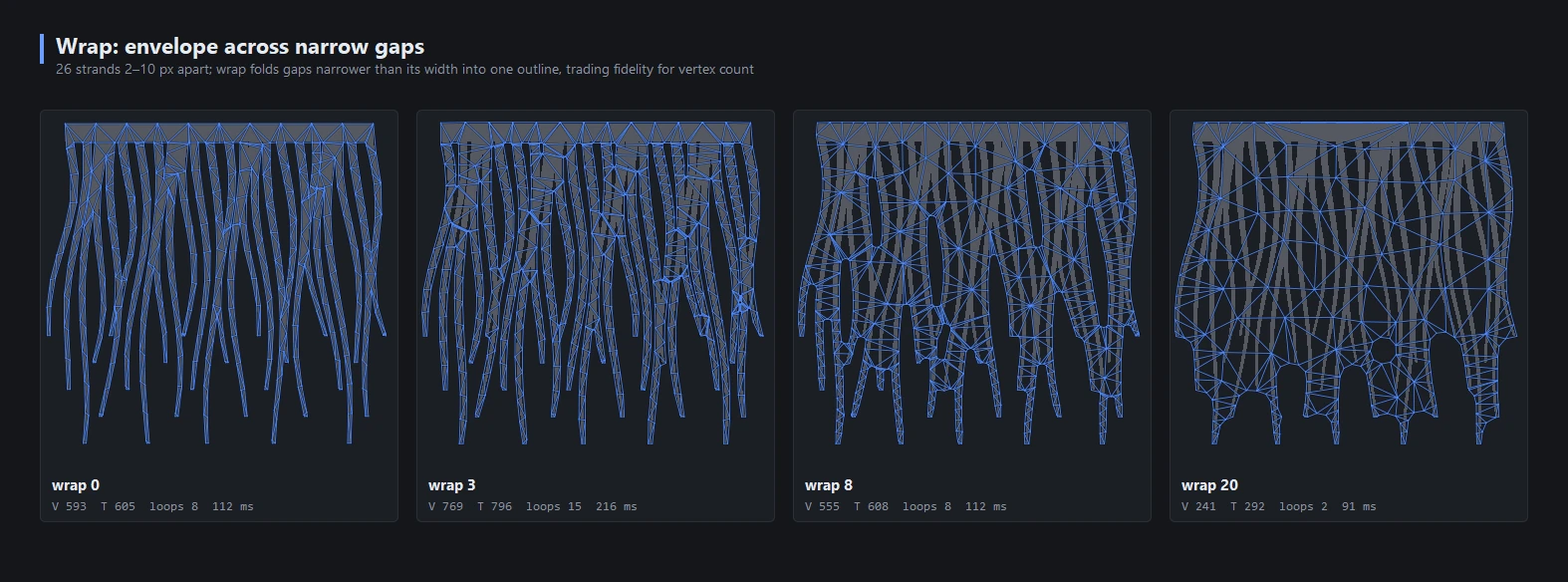
Meshes follow the texture outline; holes, thin bridges and tips each get their own outline loop. Settings apply globally or per layer.
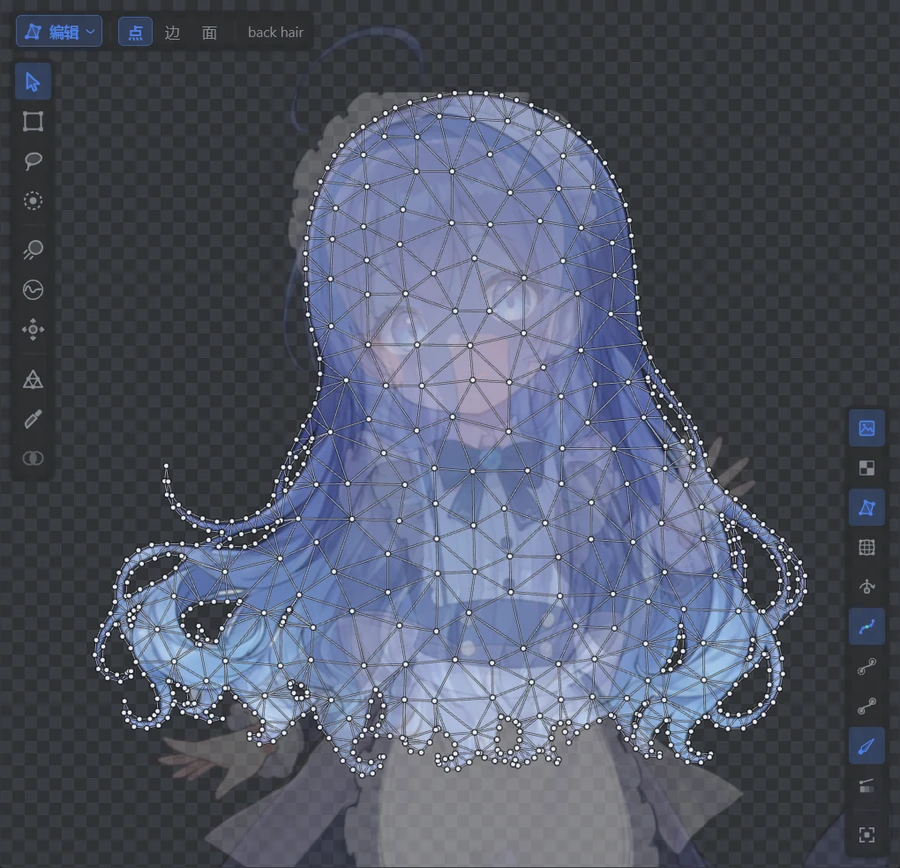 Real artwork: the example character's long curly hair, the outline following every curl |
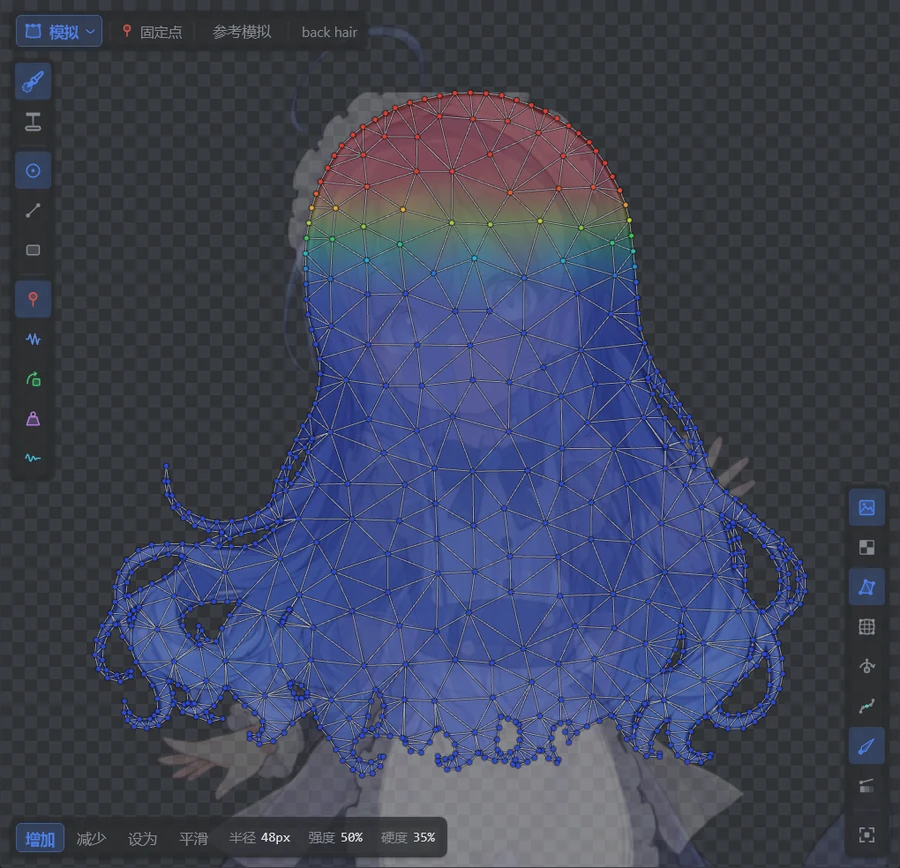 Vertex weights: Simulate mode shows and paints pin weights on the same mesh (red pinned, blue free) |
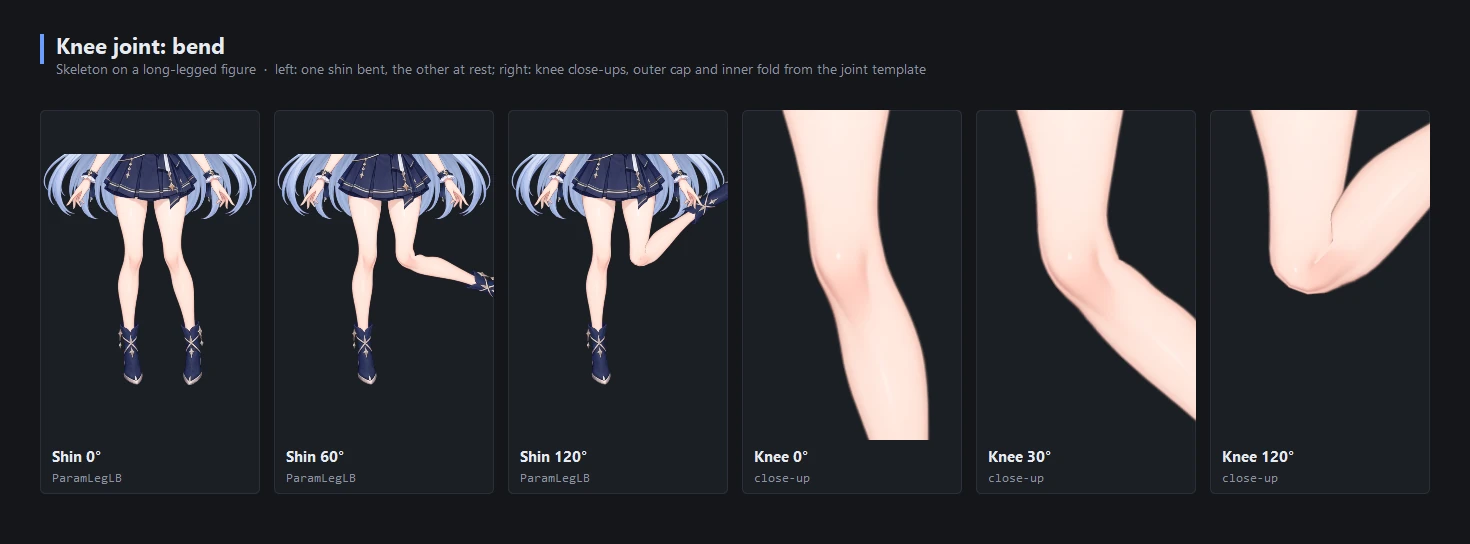
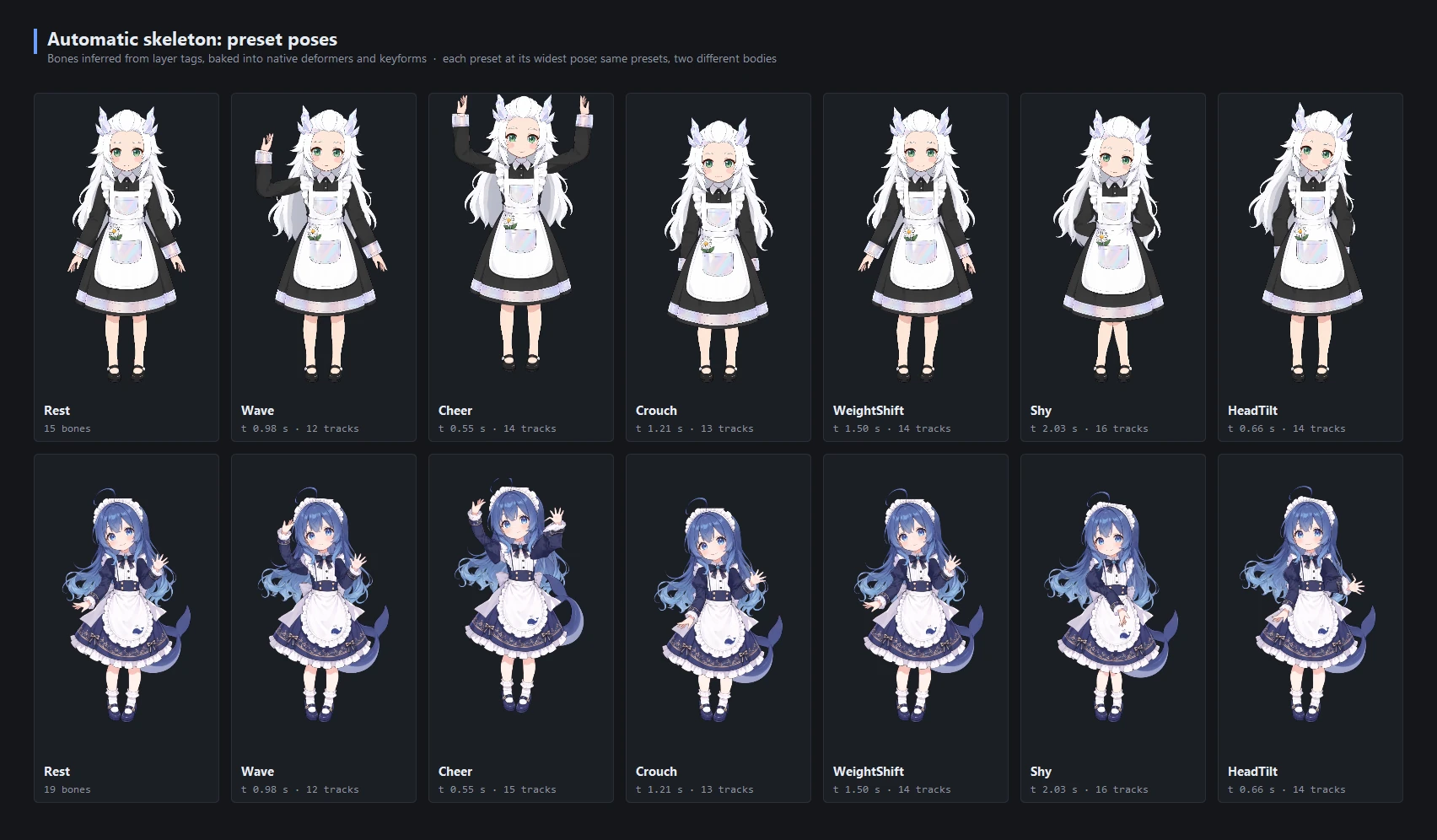
Torso, limbs and tail are inferred from layer tags and the bones bake into native deformers and keyforms. Knees and elbows are shaped like human joints: the kneecap rounds out on the outside, the inside folds, and the rigid part of the thigh does not drift with the shin. The same preset motions fit different body shapes.
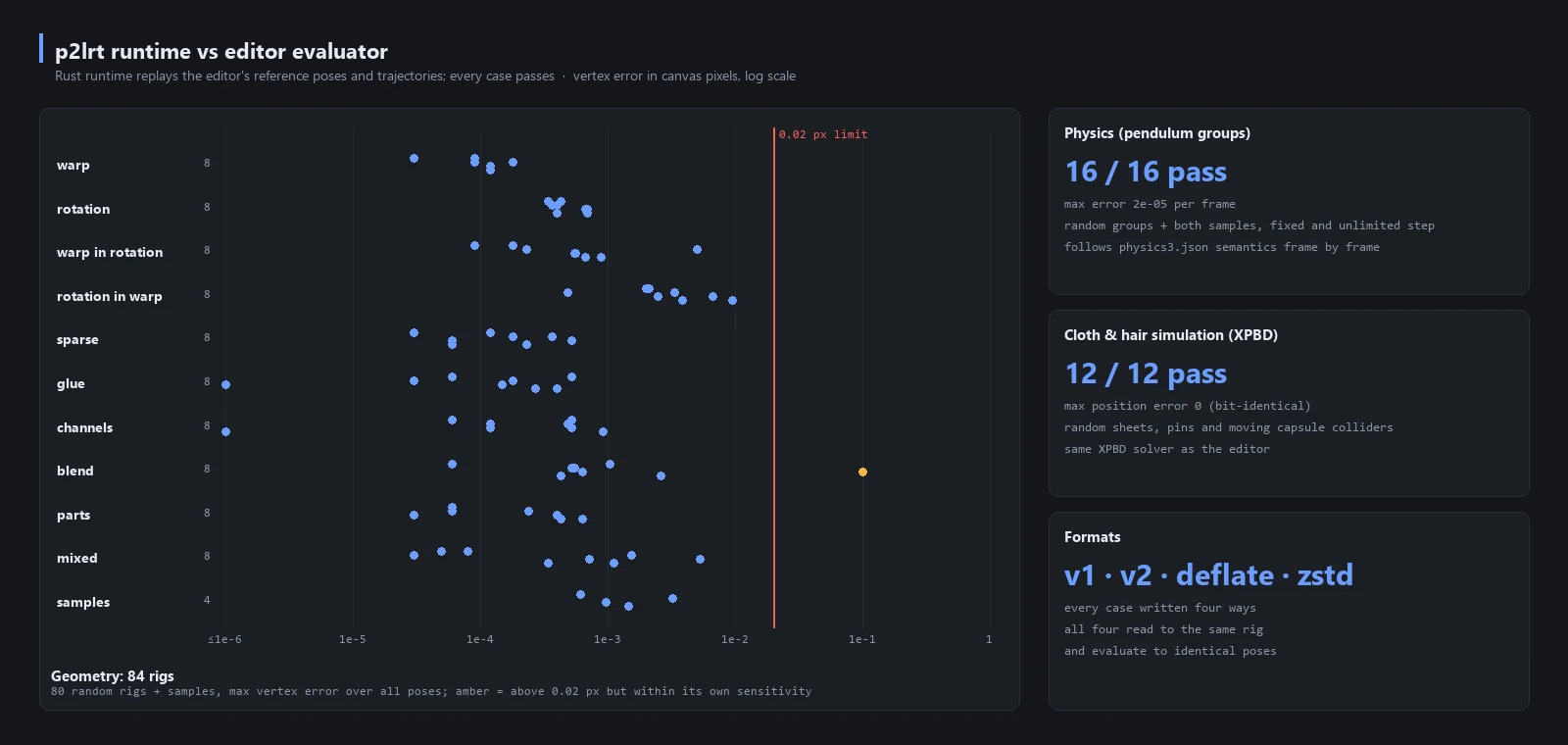
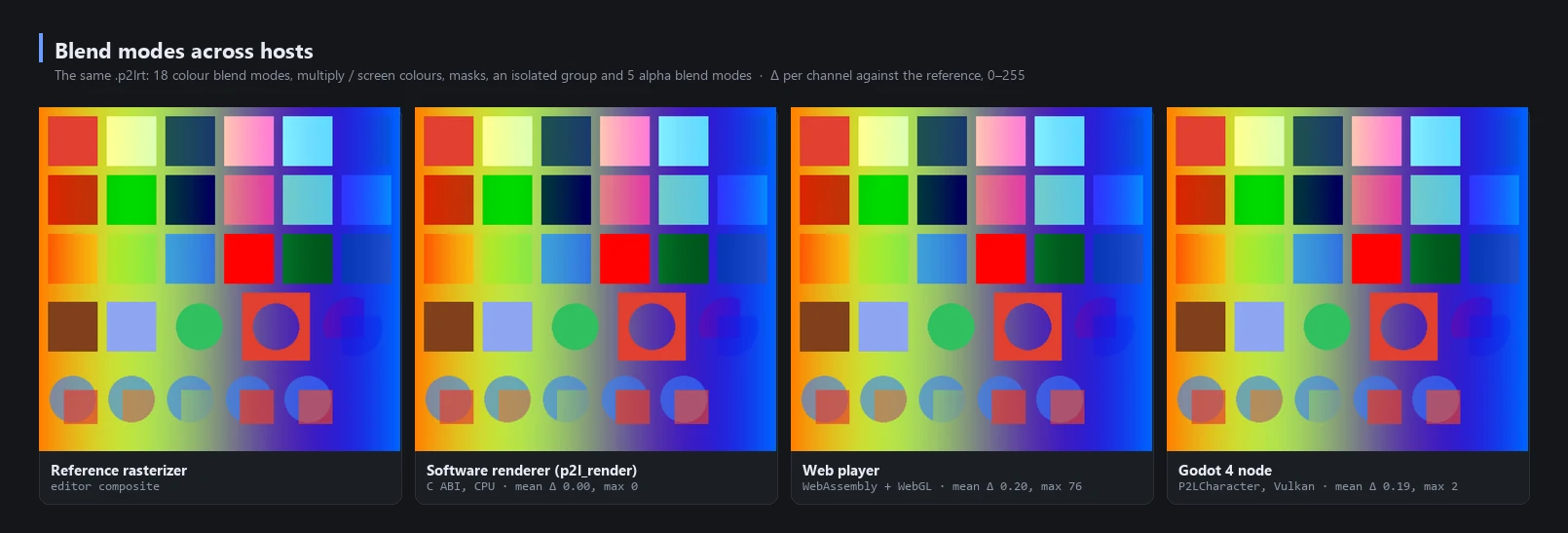
The Rust runtime replays the editor's reference poses and trajectories; geometry, physics and simulation all pass, and four file encodings read back identical results.
PSD2Live runs without Cubism Editor or the SDK but stays compatible with Cubism formats. Each feature falls into one of three tiers by whether it can enter Cubism:
| Tier | Meaning | Examples |
|---|---|---|
| Lossless | Native in Cubism, or affects only the editing process | Meshes, deformers, parameters, physics, motions; brushes, splits, generation |
| Baked | Not in Cubism, but bakes into keyforms, parameters or pendulums | Skeletons and IK, cloth / hair simulation, swing generation |
| Runtime only | Cannot be baked; works only in the own runtime, the web, Godot and raster exports | Planned dynamic lighting and stylized rendering, see the roadmap (Chinese) |
When exporting .moc3 / .cmo3, the last two tiers are lowered to the target version (Cubism 3.0 – 5.3) and recorded in the loss report.
Get the latest version from Releases; see the changelog (Chinese) for what changed.
| Platform | Package | Notes |
|---|---|---|
| Windows 10 / 11 x64 | Portable ZIP, EXE | Bundles a Java runtime; unzip or install and run. Each also comes as a -ffmpeg build with ffmpeg included |
| Windows 11 ARM64 | Portable ZIP, EXE | Bundles a Java runtime; no Cubism native preview (Live2D ships no Cubism Core for it), the preview uses the PSD2Live runtime |
| Linux x86_64 / arm64 | Deb, tar.gz | Bundles the runtime and Cubism native preview (experimental from Live2D on arm64); needs X11 / GLX (XWayland works); the tar.gz is for distributions without Deb: extract and run PSD2Live/bin/PSD2Live |
| macOS 13 or newer | DMG | Bundles its own Java runtime. Open it and drag PSD2Live to Applications. The menu is the screen menu bar and the window buttons are the system's. The package matches the Mac that built it; see Building from source. A copy that is not notarized has to be opened from Finder with a secondary click |
Upgrading, uninstalling and Linux notes
- Upgrading: installs into the existing folder without asking for a path; EXE / MSI installs of 3.1.x and earlier are removed automatically and their folder is reused.
- Uninstalling: settings and workspace data are kept by default; the uninstaller asks whether to delete PSD2Live's data as well, and choosing Yes removes it. Saved projects and files you put in the install folder are always kept.
- Linux: native preview does not support pure Wayland without XWayland or musl (such as Alpine); those fall back to the built-in renderer. See Cubism native preview.
- Import a PSD with File → New → New project from PSD… (
Ctrl+Shift+O) or drop it on the window. Before importing, pick the model presets (Minimal / Default / Full) under Generate from PSD on the Start page (the inspector on the right sets each one); the model is generated and opened for editing. Split left and right parts drawn on one layer (such as both legs) with Model → Split Layers by Mesh…. - Check the classification in the Layers table: part type, side and variant settings. Correct anything that was misread.
- Preview and refine in the Preview workspace, then adjust in the Edit, Rigging, Animation, Physics and Texture workspaces as needed.
- Save and export:
Ctrl+Ssaves a.psd2liveproject;Ctrl+Gexports.moc3/.cmo3, and other formats are under File → Export as.
Tip
New to PSD2Live? Press F1 for the Tutorials on the Help page. The interactive tutorials highlight each control and use your current shortcuts, with a beginner path (19 lessons) and a path for Cubism users (14 lessons). The user guide is the text companion.
Generation quality depends mostly on how the PSD is layered:
- separate eye whites, irises and upper lashes, and keep the parts of the iris hidden by the eyelids;
- provide an open mouth (or separate upper teeth, lower teeth and tongue);
- separate front and back hair and leave room behind what they cover;
- keep the body roughly upright, and rasterize layer effects and text beforehand.
The full naming table is in PSD preparation. Unrecognized layers are kept and can be classified by hand.
| Destination | Output |
|---|---|
| Cubism Editor | A .cmo3 model project to check and refine in the official editor |
| Cubism runtime | .model3.json + .moc3 with textures, physics, motions and more; load from .model3.json |
| VTube Studio | The .moc3 bundle plus .vtube.json, face tracking mapped to standard parameters and a hotkey per motion |
| Your program / engine / the web | A .p2lrt rig for C / C++, .NET, Unity, Godot and Android, or a WebGL player page that opens in a browser |
| Images and video | PNG sequences, sprite sheets, GIF; APNG, animated WebP, MP4, WebM, ProRes 4444 (through ffmpeg) |
| PSD | A layered PSD at the current pose, or the source PSD with generated layers |
| Experimental | Spine 4.2, DragonBones 5.5 and glTF 2.0, from the command line only. The Unity prefab is under File → Export as |
Ctrl+G exports Cubism formats for target versions 3.0 – 5.3 (default 5.0); the rest are under File → Export as. See export targets.
Important
To keep working, save the .psd2live project: it holds the source PSD, artwork, settings, every edit and the history branches. The .psd2live.json written with an export is only a diagnostic report. A successful export does not guarantee identical results in every runtime, so check the model in the target editor and runtime before delivery; see the runtime and export reference (Chinese).
The built-in renderer needs no official SDK. Cubism native preview is optional and lets you compare against the official runtime's rendering and physics.
runtime/ is an open-source (MIT) Rust runtime that plays exported .p2lrt rigs. The editor's software preview evaluates through the same library.
| Item | Description |
|---|---|
| Core evaluation | Cubism-equivalent Warp / Rotation deformation, blend shapes, Glue, parts and draw order, opacity and color channels; matches the editor's evaluation pose for pose |
| Physics and motions | Pendulum physics with physics3.json semantics, wind and stabilization; up to 16 motion layers by priority, with events and part / rig opacity curves, fades as in Cubism; several expressions at once |
| Procedural behavior | Blinking, breathing, gaze and lip sync (audio-driven if wanted); a host layer adds outside parameters (such as face tracking) over motions |
| Advanced extensions | Optional: runtime joint skinning, exact links, live XPBD cloth and hair with collision; when off, results are bit-identical to core evaluation |
| Rendering | Draw by the header's drawing rules, or let the built-in software renderer p2l_render draw into an RGBA image: every color and alpha blend mode, masks, isolated groups and culling, as the editor's reference rasterizer; per-mesh change flags let the host upload only what changed |
| Host integration | One read-only model shared by many instances; staged updates, part opacity and color overrides, hit areas, a log and a host allocator; an internal error fails that handle without aborting the host |
| File format | .p2lrt 2.0: a chunked container whose core chunks map one to one to moc3, with optional extension chunks; deflate / zstd compression, byte-identical output from the same IR |
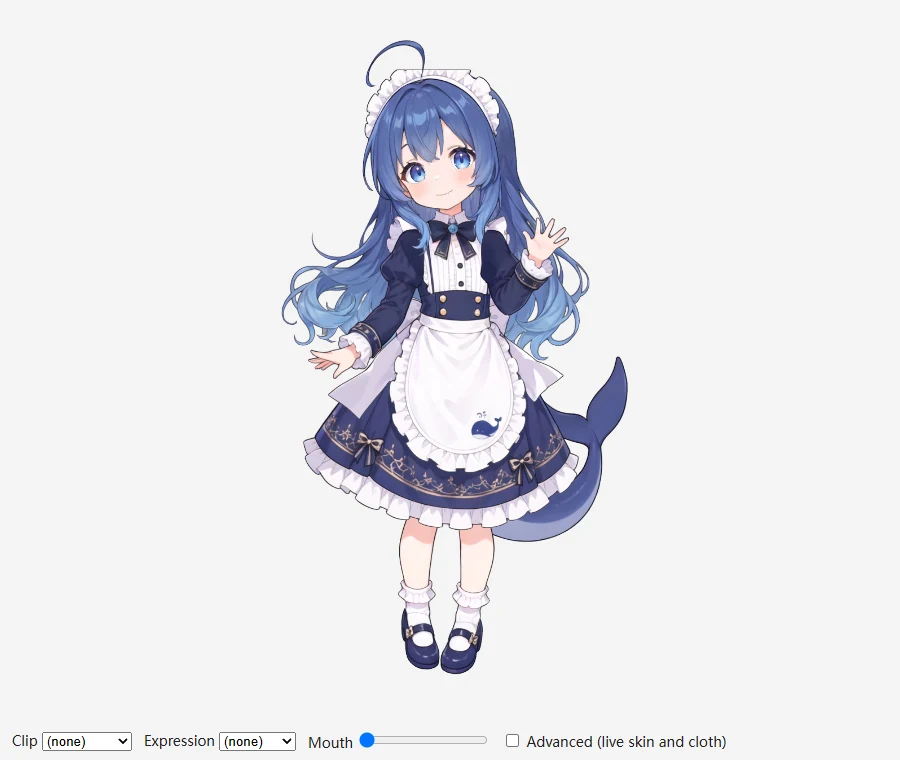
| Integration | C / C++ header p2l_runtime.h with a dynamic or static library (usable from Unreal), .NET P/Invoke bindings and a Unity component example, Android (arm64-v8a, armeabi-v7a, x86_64), WebAssembly web player, Godot 4 node P2LCharacter (runtime/godot/); see other languages and platforms |
 Web player (WebAssembly + WebGL) |
 Godot 4 node |
Format and evaluation rules: runtime and .p2lrt 2.0 format.
- The MCP server is on by default: it starts with PSD2Live at
http://127.0.0.1:23871/mcp. Open Settings → MCP (the cog at the right of the title bar) to turn it off or set the port, access token and published tool set (compact by default). The access token is stored in plain text in your local user preferences (Java Preferences). - Copy the command or configuration for your host (Claude Code, Codex, generic JSON). Stdio-only hosts use
mcp_proxy.pyat the repository root. - Have the agent read the project with
workspace_overviewand single objects withworkspace_inspect; operations not listed as tools are found withworkspace_list_operationsand called throughworkspace_call.
workspace_apply_edits commits several edits atomically (all or nothing), and workspace_preview_edits dry-runs them first. Requests and examples are in the MCP reference. For projects with an explicit stack, the modifier guide describes the current interface and its remaining gaps.
Note
The MCP server does not generate images; new artwork requires image generation in the host. A callable tool does not make a complex modeling task reliable; recorded evaluations keep both successes and failures.
Requires JDK 21 (Windows release packages use the JetBrains Runtime 21; see the development guide); Gradle runs through the bundled wrapper. With Rust (cargo, rustc 1.87 or later) installed, the Rust runtime is built as well; without cargo, or with an older rustc, Linux first downloads the library CI built from the same runtime/ sources (-Ppsd2live.prebuiltRuntime=false turns this off); if none is available the build skips it with a notice and the editor uses its built-in evaluator (rustup update lets it build). On macOS 13 or newer, ./gradlew packageDmg builds a DMG with its own runtime and does not need a separate JBR; see the development guide.
# Start the GUI (Windows: .\gradlew.bat run or run-gui.bat)
./gradlew run

# Generate a model from a PSD on the command line
python tools/examples/fetch.py --case tml
./gradlew run --args="--input examples/tml/psd-input/tml.psd --output build/example-output"

# Export a project to another format, for example GIF
./gradlew run --args="export model.psd2live --target gif --set clip=Nod"

# Run the tests / package for the current platform
./gradlew test
./gradlew packageDistributionForCurrentOS
Source builds use the built-in renderer; the official Cubism SDK must be obtained separately to build the bridge library. All CLI options, packaging and the native preview build are in development and CLI.
The documentation index lists every page, including the implementation notes that exist only in Chinese. Example PSDs and outputs are in examples; planned work is on the roadmap (Chinese).
Issues, reproducible PSDs, documentation fixes and code are welcome.
- Bug reports: include the version, operating system, steps to reproduce, expected and actual results, and relevant entries from the Log panel.
- Code: run the tests related to your change (
./gradlew test). New editing features must persist in the project and replay after reopening; see development. - Agent evaluations: also record the host, model, retries and cost, following the evaluation format.
| Part | License |
|---|---|
The application, the umamo engine, the Cubism and PSD export targets |
GPL-3.0 |
The neutral rig IR format-model, the export framework format-compile, the other export targets, the Rust runtime runtime/ |
MIT, reusable on their own |
The application as a whole is released under GPL-3.0; see each module's LICENSE and the module table. Third-party components are listed in THIRD_PARTY_NOTICES.md; example artwork has its own usage terms.
PSD2Live is an independent project, not affiliated with or endorsed by Live2D Inc. This repository does not contain or distribute proprietary Live2D Cubism SDK components. Live2D and Cubism are trademarks of Live2D Inc.