• Docs
  • Changelog
Sign in
Get started
    • Home
    • Your first deploy
    • Free instances
    • Platform features by plan
    • Use with coding agents
    • FAQ
    • Templates
      • Migrate from…
        • Heroku
        • Railway
    • Compute plans
    • SandboxesBeta
      • Service types
        • Which to use?
        • Static sites
        • Web services
        • Private services
        • Background workers
        • Cron jobs
        • Workflows
        • Multi-service architectures
      • Data storage
        • Render Postgres
        • Render Key Value (Redis®-compatible)
        • Persistent disks
    • How deploys work
    • Supported languages
    • Git providers (GitHub, etc.)
    • Build pipeline
    • Deploy hooks
    • Monorepo support
    • Troubleshooting deploys
      • Previewing changes
        • Single-service previews
        • Preview environments (multi-service)
      • Docker deploys
        • Overview
        • Deploy a registered image
        • Using secrets
      • Runtime
        • Native runtimes
        • Environment variables & secrets
        • Default environment variables
    • Intro to sandboxes
    • Limits
      • How to…
        • Create & configure sandboxes
        • Execute commands
        • Manage files
        • Manage snapshots
      • Use with…
        • Claude Managed Agents
        • Cursor Cloud Agents
        • OpenAI Agents API
      • SDK/CLI reference
        • TypeScript SDK
        • Python SDK
        • CLI commands
    • Intro to workflows
    • Tutorial
    • Limits & pricing
      • How to…
        • Define tasks
        • Define flowsNew
        • Trigger runs
        • Develop locally
      • SDK reference
        • TypeScript SDK
        • Python SDK
      • Example workflows
        • TypeScript examples
        • Python examples
    • Overview
    • Create & connect
    • Database credentials
    • Extensions
    • Version upgrades
    • Logical replication
    • Legacy instance types
      • Database recovery
        • Recovery & backups
        • High availability
      • Database performance
        • Read replicas
        • Connection pooling
        • Admin apps
        • Repacking tables
        • Troubleshooting performance
    • Regions
    • Inbound IP rules
    • Edge caching
    • WebSockets
    • TLS certificates
      • Custom domains
        • Overview
        • Cloudflare
        • Namecheap
        • Other DNS providers
      • Internal traffic
        • Private network
        • Private links
      • Outbound traffic
        • Default IP ranges
        • Dedicated IP addresses
        • Outbound bandwidth
        • Handling network changes
      • Static site config
        • Custom response headers
        • Redirects & rewrites
    • The Render Dashboard
    • SSH / Shell access
    • Projects & environments
      • Service actions
        • Scaling
        • Rollbacks
        • Maintenance mode
        • One-off jobs
      • Infrastructure as code
        • Blueprints overview
        • render.yaml reference
        • Terraform provider
    • In-dashboard metrics
    • Health checks
    • Uptime best practices
      • Logging
        • In-dashboard logs
        • Log streams (syslog/HTTPS)
      • OpenTelemetry (OTel) metrics
        • Provider setup
        • Metrics reference
      • Notifications
        • Webhooks
        • Email / Slack
    • MCP Server
      • Render CLI
        • Overview
        • Command reference
      • REST API
        • Overview
        • API reference
      • Third-party connections
        • OIDC support
        • Datadog
    • Workspaces, members, & roles
    • Login settings
    • Audit logs
      • Organizations
        • Overview
        • SAML SSO
    • DDoS protection
    • Platform maintenance
      • Compliance
        • Overview
        • HIPAA (US health data)
        • HIPAA best practices
        • Shared responsibility model
        • Pentest policy
    • Heroku vs Render
    • Vercel vs Render

Deploy Hooks

Trigger a deploy with a single HTTP request.

Deploy hooks enable you to trigger an on-demand deploy of your Render service with a single HTTP request. Use deploy hooks with:

  • CI/CD environments like GitHub Actions (see an example)
  • Image-backed services (to trigger a deploy when a new image is available)
  • Headless CMS systems like Contentful (to trigger a deploy when content changes)

Looking for webhooks? See this article.

Triggering a deploy

Each service has a secret deploy hook URL, available from its Settings tab in the Render Dashboard:

A service's deploy hook URL in the Render Dashboard

Your deploy hook URL is a secret!

Provide the URL only to people and systems you trust to trigger deploys. If you believe a deploy hook URL has been compromised, replace it by clicking Regenerate Hook.

To trigger a deploy, send a basic GET or POST request to your service's deploy hook URL (no special headers required):

Response format

On success, Render responds with one of the following HTTP codes:

Response codeDescription

200 OK

The deploy has started.

The response body is a JSON object that includes the new deploy's ID:

You can get more details about the deploy by passing this ID to the Render API's Retrieve deploy endpoint.

202 Accepted

A different deploy is already in progress for this service. Render will start a new deploy after the current one completes.

In this case, the response body does not include a deploy ID.

This can only occur in workspaces with their overlapping deploy policy set to Wait.

On failure, in most cases Render responds with one of the following HTTP codes:

Response codeDescription

400 Bad Request

Most commonly, the deploy hook URL included an invalid imgURL, or a ref parameter was provided for a service that doesn't deploy from a Git repository.

For details, see Deploying from an image registry and Deploying a specific commit.

401 Unauthorized

The deploy hook URL's key query parameter was missing.

404 Not Found

Most commonly one of the following:

  • No service with the URL's specified ID was found.
  • The deploy hook URL's key query parameter was invalid. This commonly occurs when the triggering system still uses an old deploy hook URL after it was regenerated in the Render Dashboard.
  • The commit SHA specified in the ref query parameter was not found in the service's linked repository.

405 Method Not Allowed

The request used an HTTP method besides GET or POST.

409 Conflict

The service is suspended or your workspace is otherwise unable to trigger deploys for it.

Deploying a specific Git commit

You can specify a commit SHA to deploy by appending the ref query parameter to your deploy hook URL. For details, see Deploying a specific commit.

Deploying from an image registry

Image-backed services on Render pull and deploy a prebuilt Docker image from an external registry. These services do not automatically redeploy if a new image is pushed to the registry. You can use a deploy hook to trigger a deploy whenever an updated image is available.

To deploy a specific tag or digest, append the imgURL query parameter to your deploy hook URL:

If you don't provide this parameter, Render uses whichever tag or digest you've specified in the service's settings.

All components of imgURL besides the tag or digest must match your service's default image URL. Otherwise, Render rejects the deploy request.

Using with GitHub Actions

You might want to trigger a service deploy from your CI/CD environment whenever certain conditions are met (such as when all of your tests pass). Let's set this up using deploy hooks and GitHub Actions.

1. Create a repository secret

Deploy hook URLs are secret values, so we need to make sure to store ours as a secret in our GitHub repo:

  1. Go to your GitHub repo's Settings page.

  2. Click Secrets and variables > Actions.

  3. Click New repository secret. Create a secret with the name RENDER_DEPLOY_HOOK_URL and provide your deploy hook URL as the value:
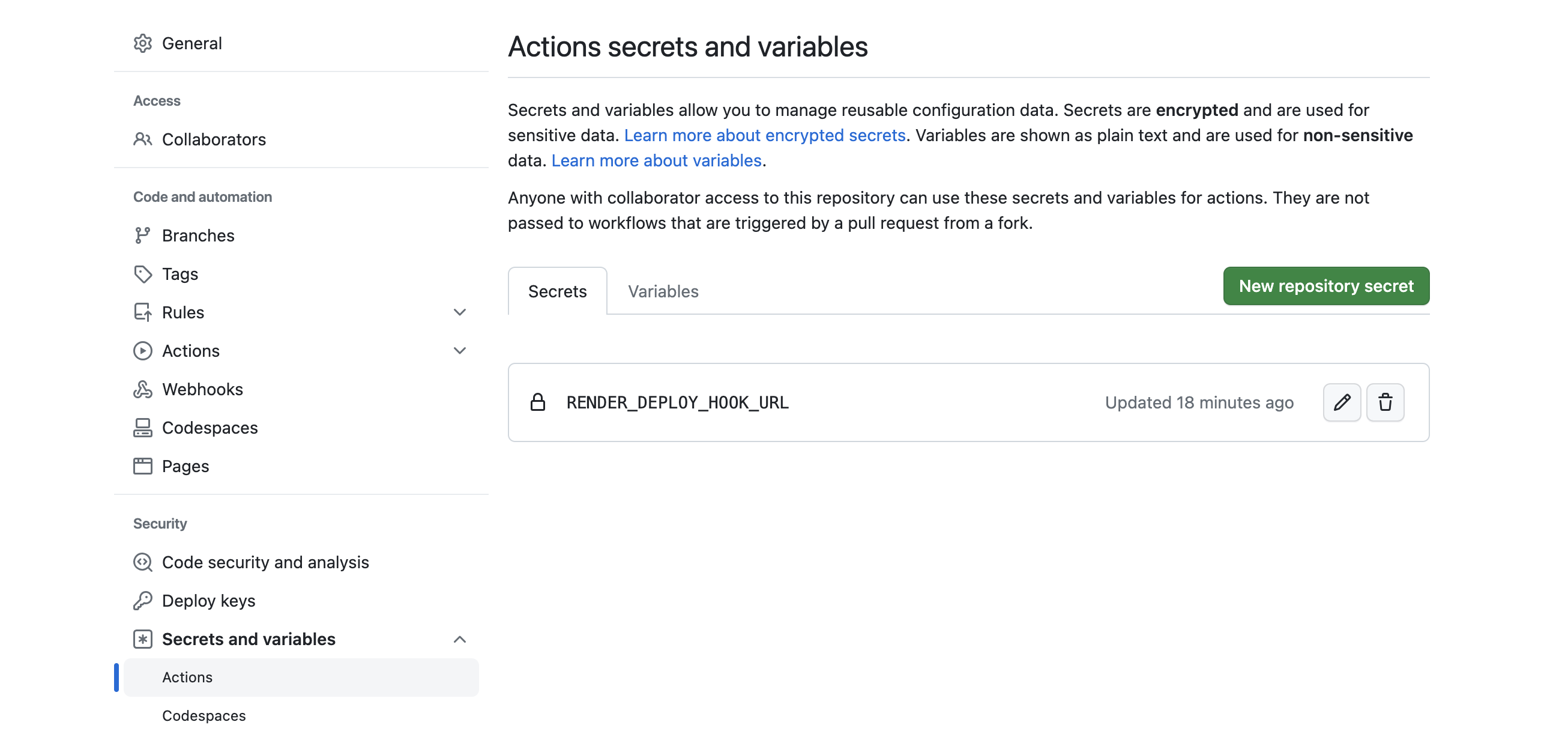
    Repository secret for a GitHub action

2. Add a GitHub workflow

Now that we've added our deploy hook URL, let's create a GitHub workflow that uses it:

  1. Create a .github/workflows directory in your repo if it doesn't already exist. GitHub Actions automatically detects and runs any workflows defined in this folder.
  2. Add a YAML file to this directory to represent your new workflow. The example below uses the file path .github/workflows/ci.yml.
  3. Define logic in your workflow to trigger a deploy after any prerequisite steps succeed. See the example.
  4. Commit all of your changes.

Example workflow

This example workflow defines a job named ci that includes two steps (Test and Deploy). The workflow runs whenever any pull request is opened against main, or when commits are pushed to main.

  1. The Test step runs the repo's defined unit tests.
  2. The Deploy step executes a curl request to our deploy hook URL only if the current branch is main and the Test step succeeded.
Deploy Hooks
  • Triggering a deploy
    • Response format
  • Deploying a specific Git commit
  • Deploying from an image registry
  • Using with GitHub Actions
    • 1. Create a repository secret
    • 2. Add a GitHub workflow
All Systems Operational
© Render Inc. All rights reserved.