Lockpaw app icon
New in 1.7Settings, redone

One key. Screen covered. Everything running.

Lock your Mac without putting it to sleep. AI agents, builds and downloads keep going, and the screen glows when your agent needs you. Unlock with Touch ID.

Download Free
Lockpaw is a macOS app.
Bookmark this page and visit from your Mac to download.
macOS 14+ 15 MB Open Source

No analytics. No accounts. Nothing leaves your Mac unless you turn it on.

Agent alerts

Walk away. The screen tells you when to come back.

The covered screen glows when Claude Code, Codex, Gemini CLI, Cursor, Copilot CLI or Aider needs you, bright enough to see from across the room.

The notification says which agent and why: Claude Code needs permission in web-app. It's silent by default, so it works in an open office.
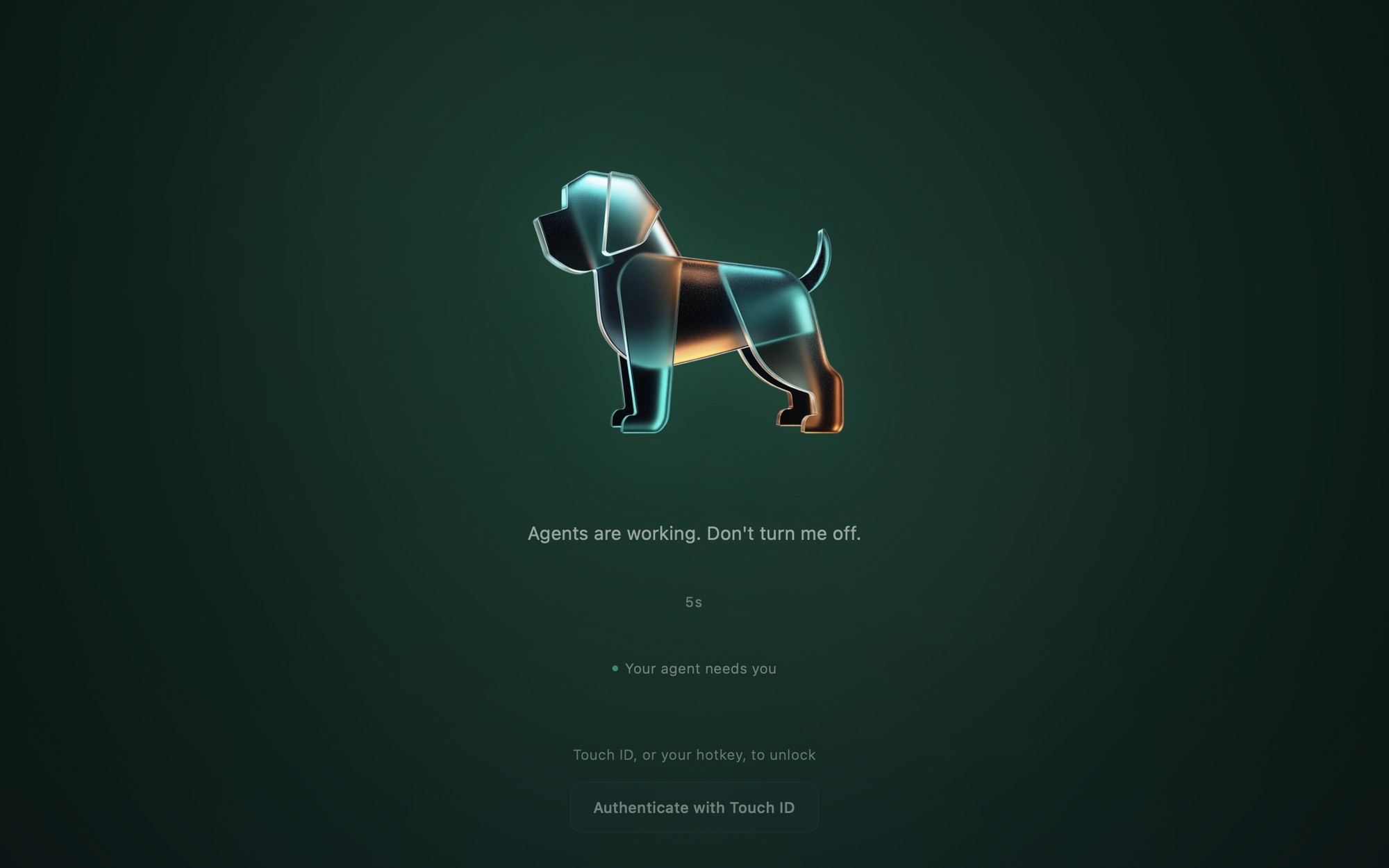
Lockpaw's lock screen glowing teal around the dog mascot, with the line Your agent needs you

New in 1.6

Close the lid. Your agents keep running.

Optional, and only while the screen is locked. No external display needed.

A small helper you allow once in Login Items does exactly one thing. Sleep comes back when you unlock, if the Mac runs hot, or at 20% battery.

What the helper can and can't do

Setup

One click per agent.

Settings → Agents connects Claude Code, Codex, Gemini, Cursor, Copilot or Aider, and keeps a backup of any config it touches.

Out of the house? Pings can go to your phone through ntfy, Pushover or any webhook. Only the agent and what happened leave your Mac.

Prefer the terminal? Read the guide

Also in the box

Instant lock

Lock and unlock with ⌘⇧L, or lock from Shortcuts, Spotlight or Siri. There's no unlock action, on purpose.

Nothing stops

AI agents, builds, downloads and SSH sessions keep going. No sleep, no disconnect.

Touch ID unlock

Rest a finger on the sensor, nothing to click first. Password works too.

Dog, cat, or your own

Pick the origami dog or cat, drop in your own image, or show no mascot at all.

Fade to black

Dims to pure black after a while, which suits OLED screens, without sleeping the display.

Small and private

About 15 MB of native Swift. No analytics and no account. Free and open source.

caffeinate keeps your Mac awake. Lockpaw also covers the screen and tells you which agent is waiting.

Why not just…

Why not caffeinate plus Ctrl+Cmd+Q?

At a desk, on power, that pair does the job. caffeinate -i keeps the Mac awake and Ctrl+Cmd+Q locks it. The macOS lock is also a real security lock, which Lockpaw is not. Here is what the pair does not give you. The locked screen does not glow amber when an agent is waiting on you and teal when it is done, with a line naming the agent and how long it has waited. You cannot close the lid, because caffeinate does not hold off lid sleep. Lockpaw's optional lid-closed mode does, and it gives sleep back when you unlock, if the Mac runs hot, or at 20% battery. And caffeinate stays on until its command ends or you stop it. Lockpaw holds sleep off only while it is locked.

Why not just close the lid?

A MacBook sleeps when you close the lid, unless an external display is attached, and caffeinate can't stop that. Turn on lid-closed mode and, while Lockpaw is locked, your agents keep running with the lid shut. It uses a small helper you allow once in Login Items. Sleep comes back when you unlock, if the Mac runs hot, or at 20% battery. The full guide to keeping Claude Code running with the lid closed.

Is Lockpaw a real security lock?

No, and it doesn't pretend to be. It's a visual privacy tool: people walking past can't read your screen or type into your Mac while your agents work. For real security, use the macOS lock. With Unlock with your Mac turned on, you can use both.