
Your network companion in the macOS menu bar. A dot that tells you at a glance whether you are really on the internet, how good the connection is, and how fast it is.


Status: v1.1.0 (not yet notarized). See
idea.mdfor the design spec.
| Online | Degraded |
|---|---|
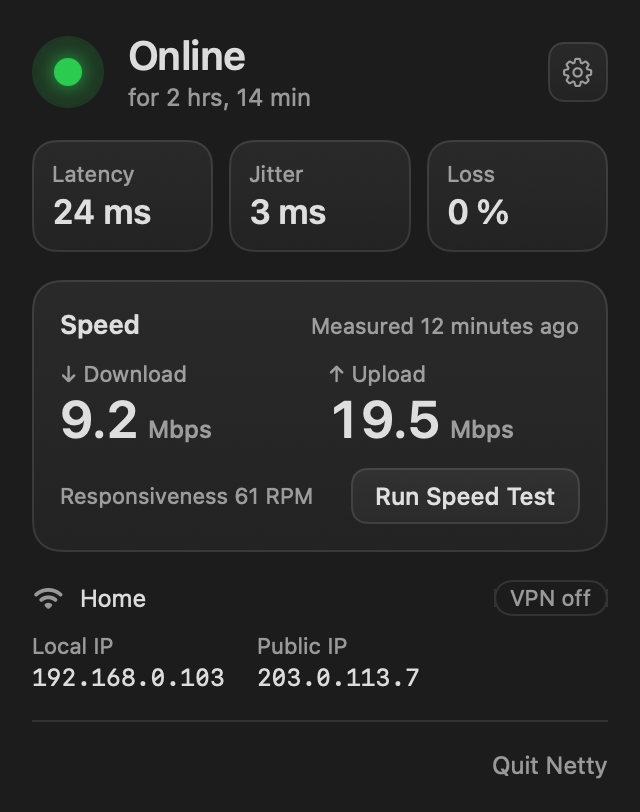 |
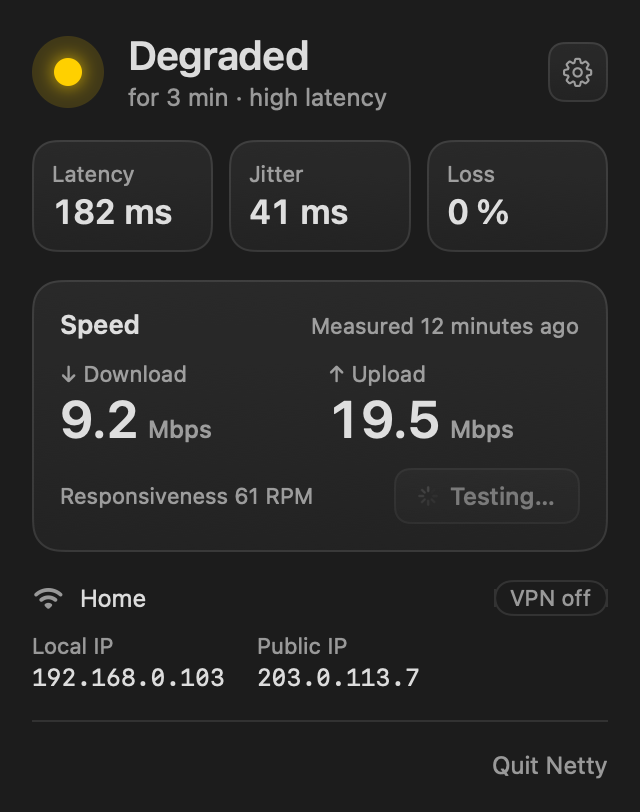 |
- Real internet, not just a network. Netty asks Apple's captive portal check (with Google's as a fallback) whether the internet answers. Wi-Fi without internet or a hotel login page counts as offline.
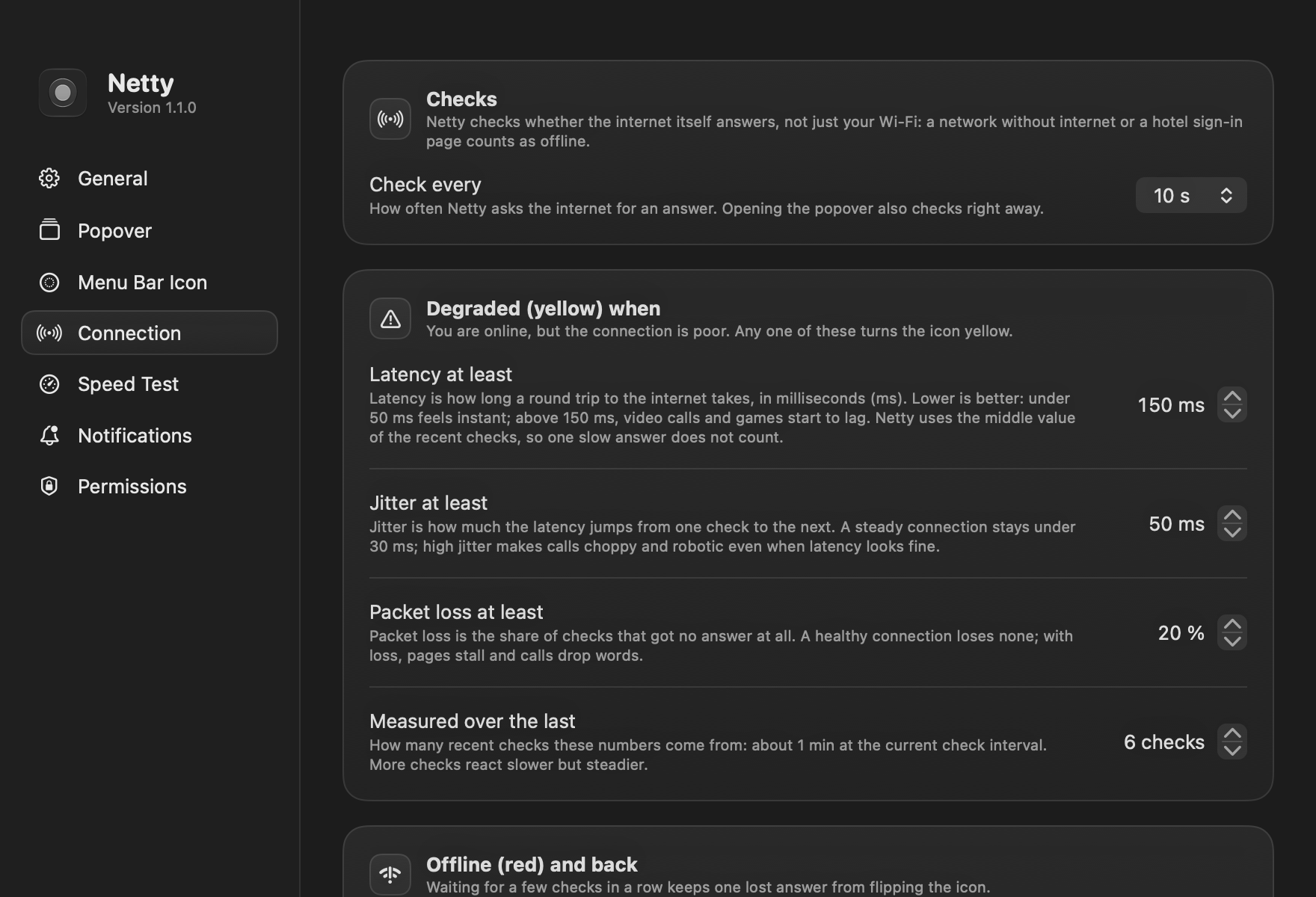
- Green, yellow, red. Yellow when latency, jitter or packet loss crosses a threshold; red after a few failed checks in a row. Every rule can be changed in Settings › Connection.
- Latency, jitter and loss from a TCP handshake with 1.1.1.1 and 8.8.8.8 every 10 seconds, and right away whenever the network changes or you click the icon: a click confirms a drop or a recovery at once, with the checks the rules need run side by side instead of one per interval.
- Speed test with Apple's built-in
networkQuality: download, upload and responsiveness. It runs when you ask, or on a schedule (off by default; metered networks are skipped). - Notifications when the connection drops and when it comes back, with how long you were offline. A degraded connection never notifies, and Focus modes are respected.
- Update notices: Netty asks GitHub for the latest release (every day by default; every 6 hours, every week or off in Settings › General) and notifies you once per new version with what it brings. Settings › General lists the changes and marks the version as outdated; click the notification, that mark or the link in the popover to open the release page. It doesn't install anything itself: Homebrew users run
brew upgrade --cask netty, everyone else downloads the new DMG. - Network info: Wi-Fi name (with Location access), Ethernet or hotspot, whether a VPN carries your traffic, and your local and public IP (click one to copy it).
- Your popover, your order: show, hide and drag its sections (Status, Quality, Speed, Network), and switch off single parts such as jitter, the VPN badge or either IP, in Settings › Popover, with a live preview.
- Left and right click: each opens the popover, a quick menu (Settings, Quit), a speed test or Settings, as you choose.
- Menu bar icon your way: color (tinted green, yellow or red) or black & white, a circle SF Symbol per status (
circle.fill,circle.dashed,circle.and.line.horizontalby default, five more to pick from) or your own SVG, PDF or PNG, and its size.
| Menu Bar Icon | Connection |
|---|---|
 |
 |
Netty needs macOS 26 or later.
-
Download
Netty.dmgfrom the latest release, open it and drag Netty to Applications. Or install it with Homebrew:brew install --cask alvaldes/tap/netty
-
Open Netty. It isn't notarized by Apple yet, so macOS stops it the first time: choose Done, then open System Settings › Privacy & Security and click Open Anyway next to “Netty.app” was blocked. The step-by-step guide has screenshots.
-
The welcome window explains and asks for the two optional permissions.
Both are optional; each only adds something to the popover.
- Notifications: connection lost / back online, and new versions.
- Location: macOS shares the Wi-Fi network name only with apps that have Location access. Netty never reads your location.
Netty sends nothing anywhere: no analytics, no telemetry. Its checks go to Apple's captive portal page, Google's fallback, and Cloudflare's 1.1.1.1. The public IP comes from that same 1.1.1.1 (/cdn-cgi/trace, over HTTPS), only when you open the popover and at most every 5 minutes; hide it in Settings › Popover and it is never looked up. Update checks ask GitHub's API (api.github.com/repos/alvaldes/netty/releases/latest) on the schedule you pick, every day by default; set it to Off in Settings › General and only Check Now asks.
Requires Xcode 26 and XcodeGen.
xcodegen
xcodebuild -scheme Netty -derivedDataPath build build
open build/Build/Products/Debug/Netty.app
Tests live in the NettyKit package:
swift test --package-path Packages/NettyKit
NETTY_LIVE=1 swift test --package-path Packages/NettyKit   # also hits the real network and runs a speed test
The project builds with an ad-hoc signature, which changes on every build and makes macOS forget the Location permission. To keep it, copy Config/Signing.local.xcconfig.example to Config/Signing.local.xcconfig and set your team ID.
Debug builds render PNGs and quit:
| Variable | Renders |
|---|---|
NETTY_RENDER_POPOVER=<dir> |
The popover in each status, light and dark |
NETTY_RENDER_SETTINGS=<dir> |
Every Settings area and the welcome window, light and dark |
NETTY_RENDER_ICONS=<dir> |
Every glyph kind in each mode and status (NETTY_ICON_CUSTOM=<file> adds an image) |
NETTY_RENDER_MENUBAR=<dir> |
The real menu bar icon as the status bar draws it (NETTY_ICON_MODE=monochrome) |
scripts/release.sh builds the signed Release app for the version in project.yml, refuses a dirty tree or an untagged HEAD, and packs dist/Netty.dmg. --upload attaches it to the GitHub release for that tag, sets the release notes to the version's section of CHANGELOG.md (the script stops if there is none), and updates the version and sha256 of the Homebrew cask in alvaldes/homebrew-tap.