
A self-hosted Flatpak, AppImage, DEB and RPM repo builder


Flatout publishes a Linux app from one Docker container. It runs signed Flatpak, dnf and apt repositories for your bundles, RPMs and DEBs. It serves AppImages that update themselves from your site. It also gives the app a homepage that you edit in the browser or turn off. Upload a file and the update reaches every install. Scripts and AI agents can do all of it through an API and an MCP server.
- Flatpak. Flatpak's own tools import each bundle, sign it and publish it
with static deltas. Installs update through GNOME Software, KDE Discover or
flatpak update. You can bring back an earlier build or end a channel with a message to its users. - RPM. An uploaded
.rpmis signed with the repository's key and added to a signed dnf repository. Installs update withdnf upgradeor the system's software app. - DEB. An uploaded
.debgoes into a signed apt repository. The.sourcesfile people add carries the key inside it. Installs update withapt upgradeor the system's software app. - AppImage. Each upload is told to check your site for updates and gets a zsync file. Gear Lever, AppImageLauncher and AppImageUpdate bring each new version. The last two fetch only the blocks that changed.
- Other downloads. Any other file such as a tarball is offered as a download at an address that stays the same.
- One place to upload. Drop every file of a version on the Releases page. Flatout works out each file's format and puts it where it belongs.
- Stable and beta channels in every format. Promote a beta to stable without uploading it again or withdraw a version in every format at once.
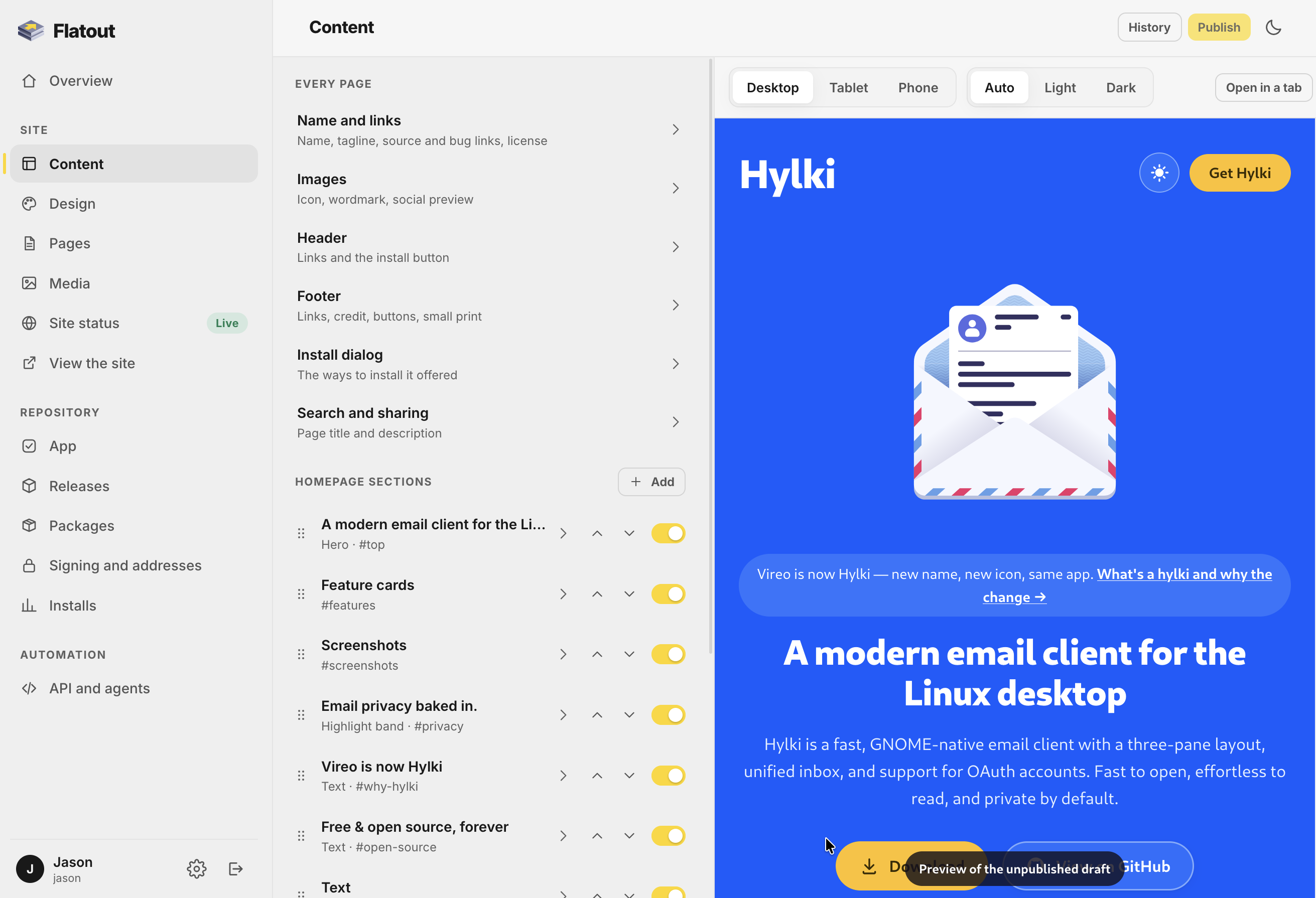
- A homepage you edit in the browser. Change every section's text, which sections show and in what order. Set the colors for light and dark, the fonts, the type size and the images. A live preview shows the draft and nothing goes live until you publish. You can also turn the site off and keep only the repositories.
- Release notes from the repository. The homepage shows the newest releases and a release notes page lists them all, sorted by version and filtered by channel.
- Install files that write themselves. The
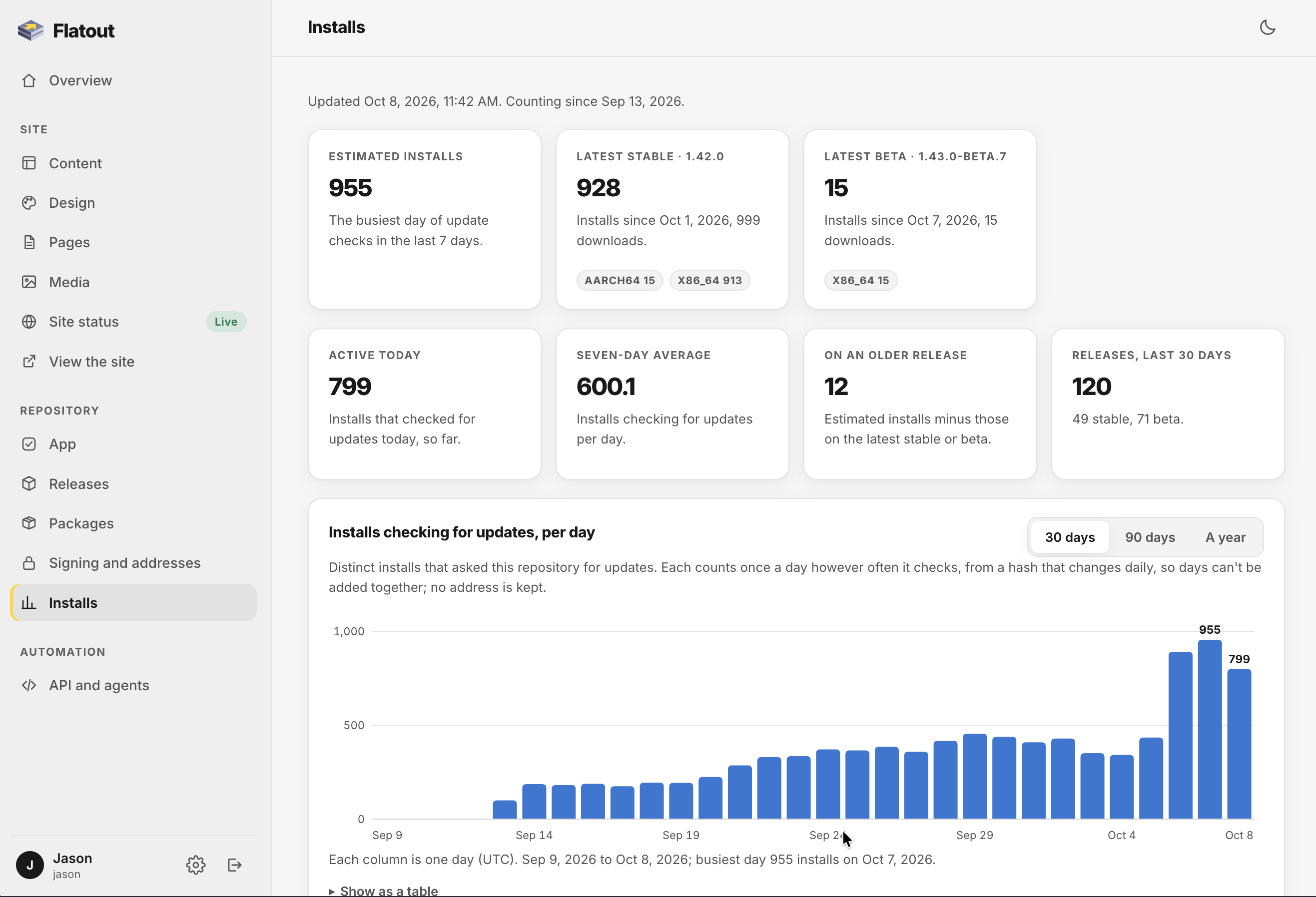
.flatpakref,.flatpakrepo,.repoand.sourcesfiles, the download buttons and every command in the install dialog follow the current release, key and address. - Install numbers without telemetry. They come from ordinary repository traffic and the app reports nothing.
- An API and an MCP server with scoped tokens for CI and AI agents.
- Encrypted backups of everything. A fresh install's setup can restore them.
- Accounts, a first-run setup wizard, Cloudflare Turnstile for sign-in and light and dark themes.
mkdir flatout && cd flatout
curl -O https://raw.githubusercontent.com/hyprlab/flatout/main/docker-compose.yml
curl -o .env https://raw.githubusercontent.com/hyprlab/flatout/main/.env.example
docker compose up -d
The .env file holds the settings as one NAME=value per line with a comment
explaining each. All of them are optional and Flatout starts with the file as it
comes. A public site behind a reverse proxy with HTTPS also needs TRUST_PROXY=1
and SESSION_COOKIE_SECURE=1. Set them and run docker compose up -d again
(all the settings).
Then open http://localhost:8102. The first visit opens the setup wizard and the admin walks you through the rest. A public site needs a reverse proxy with HTTPS in front of it (how).
Upload your files in the admin under Releases or from CI with a token. Flatpak
bundles are built one per architecture and go to /api/v1/releases:
flatpak build-bundle --runtime-repo=https://dl.flathub.org/repo/flathub.flatpakrepo \
  build-repo org.example.App-x86_64.flatpak org.example.App
curl -fsS -H "Authorization: Bearer $FLATOUT_TOKEN" \
  -F file=@org.example.App-x86_64.flatpak -F channel=stable \
  https://app.example.org/api/v1/releases
RPMs, DEBs, AppImages and other files go to /api/v1/packages
(more on packages):
for file in myapp-1.2.0-1.x86_64.rpm myapp_1.2.0_amd64.deb MyApp-1.2.0-x86_64.AppImage; do
  curl -fsS -H "Authorization: Bearer $FLATOUT_TOKEN" \
    -F file=@"$file" -F channel=stable \
    https://app.example.org/api/v1/packages
done
Agents connect to the MCP server at /mcp:
claude mcp add --transport http flatout https://app.example.org/mcp \
--header "Authorization: Bearer YOUR_TOKEN"| Documentation | Setup, the site, releases, packages, the API and MCP, configuration and backups |
| Architecture | How the pieces fit and why |
| Design system | The admin's components and the public site's theme tokens |
| Contributing | Commits, prose style, tests |
| Releasing | Versions, the beta and stable channels |
| Security | What it defends against and how to report a problem |
| Changelog | What changed in each release |
Flatout is built by a human maintainer who uses generative AI as a development tool. The maintainer decides what gets built, reviews the results, tests every release and signs off on everything that ships. Commits are made under the maintainer's name. The tool is declared here once for the whole repository instead of in a trailer on every commit. The app itself contains no AI and makes no requests to AI services. Its MCP server is there for agents you choose to connect.
Flatout is free software licensed under the GNU Affero General Public License v3.0 or later (AGPL-3.0-or-later). Cantarell and Inter are under the SIL Open Font License (credits).
© 2026 Hyprlab