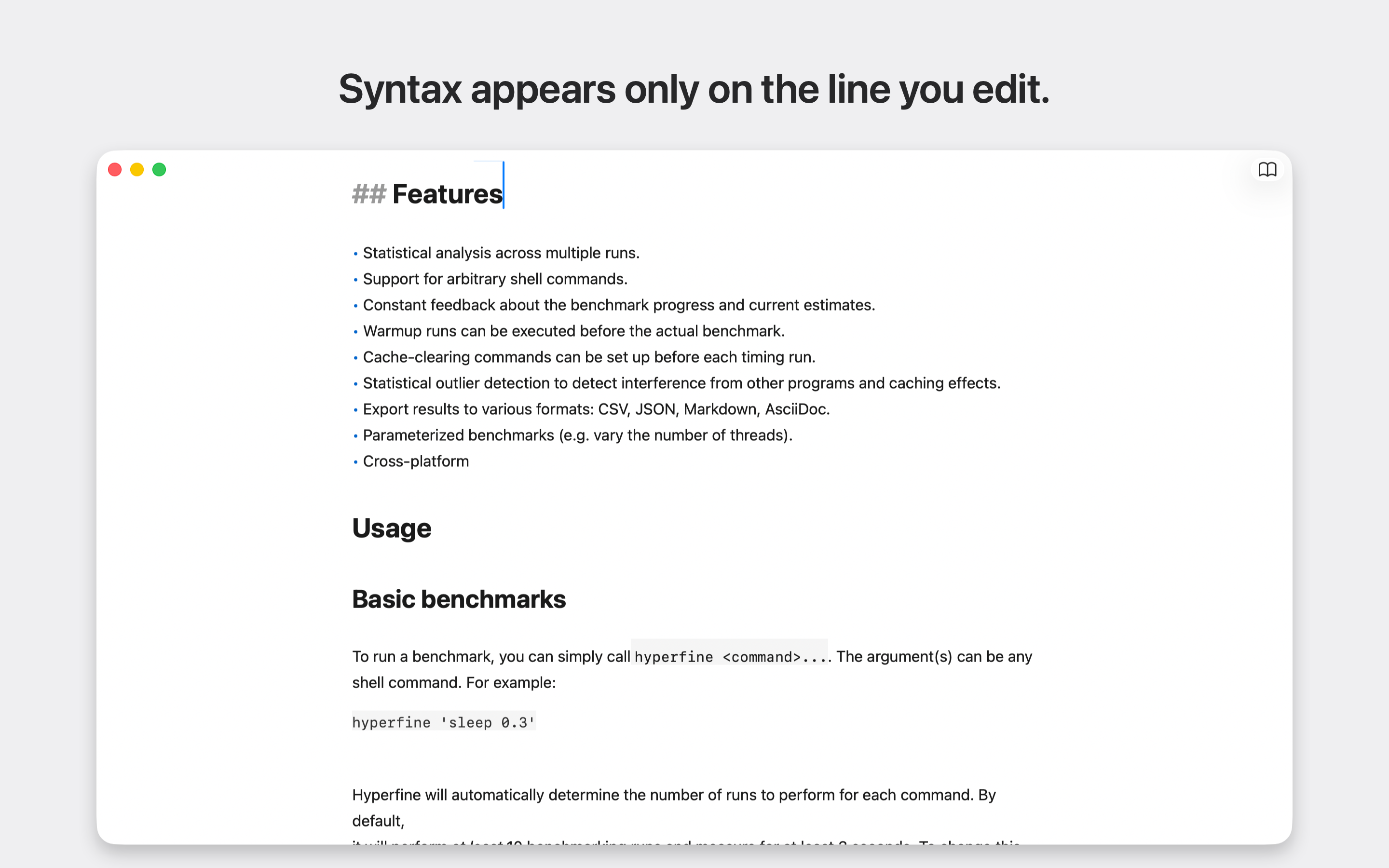
A free, open-source Markdown editor for macOS. Open a .md file and focus on the text: Markdown markers hide on every line except the one you're editing. Links show their text, lists get real bullets, and horizontal rules become hairlines.
Switch to Read mode (⇧⌘E) for rendered tables, checkboxes, and local images. Print the rendered document or save it as a PDF. Your documents stay in ordinary files on your Mac; there is no account, document upload, or sync service.
Download on the Mac App Store · Website · Report an issue
- Native document windows with autosave, undo, and macOS file versions.
- Markdown formatting shortcuts, clickable task lists, and code highlighting.
- Edit and Read modes, printing, and PDF export.
- Built-in themes and custom themes you can import and export.
- Local images in Read mode, with explicit folder access under the macOS sandbox.
Release status: version 1.0 is available on the App Store (verified September 12, 2026). The master branch contains work for 1.1, including an optional newsletter signup and a “Buy me a coffee” in-app purchase for the App Store build. Those additions are not part of the published 1.0 release.
See known issues for current limitations, including remote images, large-document resizing, and table editing. Product scope and shortcuts are in docs/product.md.
- macOS 14 (Sonoma) or later
- Xcode 26.3+ with Swift 6.2.3 for development
open JustMD/JustMD.xcodeprojFor local development, select Sign to Run Locally in Signing & Capabilities for the app and test targets, then use ⌘R to run or ⌘U to test. You do not need the maintainer's Apple Developer account or App Store Connect credentials.
Or build and test from the repository root with local ad-hoc signing:
xcodebuild -project JustMD/JustMD.xcodeproj -scheme JustMD \
  -destination 'platform=macOS' -derivedDataPath build/DerivedData \
  DEVELOPMENT_TEAM= CODE_SIGN_IDENTITY=- build

xcodebuild -project JustMD/JustMD.xcodeproj -scheme JustMD \
  -destination 'platform=macOS' -derivedDataPath build/DerivedData \
  -parallel-testing-enabled NO -only-testing:JustMDTests \
  DEVELOPMENT_TEAM= CODE_SIGN_IDENTITY=- test
The app is built at build/DerivedData/Build/Products/Debug/JustMD.app. Swift Package Manager resolves the dependencies pinned in Package.resolved. The shared Debug scheme uses a local StoreKit configuration for test purchases. The optional newsletter form connects to the project's live subscription service; unit tests use stubs and do not subscribe real addresses.
The maintainer's release pipeline uses Xcode Cloud to test and archive pushes to master and release/*. The release Actions attach builds to App Store versions; a vX.Y tag initiates review submission. They require private App Store Connect credentials and are not needed to build a fork. See distribution documentation for maintainer setup and release commands.
AppKit document-based app (NSDocument per file) with SwiftUI for the Welcome and Preferences windows.
| Module | Role |
|---|---|
App/ |
@main AppDelegate; menu wiring (Format, View → Reading Mode + Theme, Show Welcome). |
Document/ |
MarkdownDocument: NSDocument, window controller (Read/Edit toolbar), view controller. Autosave + versions via NSDocument. |
Editor/ |
NSTextStorage subclass with incremental highlighting (BlockDiff restyles only the edited window). MarkerVisibilityController hides syntax glyphs off the active paragraph. MarkdownLayoutManager draws HR rules and quote bars. swift-cmark for GFM parsing, Highlightr (cached, async) for fenced-code tokens. |
Reader/ |
MarkdownReadRenderer — AST → display attributed string: real NSTextTable grids, checkboxes, inline images. |
Theme/ |
Theme / Palette Codable models; builtin + user presets; .justmd-theme JSON export/import. |
Welcome/ |
SwiftUI Welcome window: New / Open / Drop / Recent. |
Preferences/ |
SwiftUI Preferences + Manage Themes (colorpickers). Persistence via UserDefaults. |
Support/ |
"Support JustMD" window (Help menu, Welcome link): newsletter signup posted to Supabase, and a repeatable "Buy me a coffee" StoreKit 2 consumable. The purchase code is compiled out with DIRECT_DISTRIBUTION (set by scripts/release-devid.sh), so the DMG build ships only the newsletter form. |
Product scope and shortcuts: docs/product.md.
swift-cmark— CommonMark + GFM parsing.Highlightr— syntax highlighting for code blocks.
Third-party license texts are included in THIRD_PARTY_NOTICES.txt and bundled with the app. The separate marketing tools use Remotion to compose promotional videos; Remotion is not an app dependency and is not included in JustMD.
Behavior tests use Swift Testing (@Test, @Suite, #expect) in the existing JustMDTests target.
Run: xcodebuild ... -parallel-testing-enabled NO -only-testing:JustMDTests test (parallel test hosts deadlock xcodebuild for an app-hosted bundle).
Bug reports and focused pull requests are welcome. Include reproduction steps and your macOS version when reporting a bug. Keep changes within the native document editor's scope, and add behavior coverage to the existing Swift Testing target. Run the tests above before opening a pull request. See AGENTS.md for repository guidance.
JustMD's original code and documentation are available under the MIT License. Third-party components retain their own licenses, listed in the notices. The official App Store app is free; building and distributing your own copy is also permitted by the license.